Small Home Office Lighting Ideas
Quick answer: The best small home office lighting ideas combine three layers: ambient light so the room is evenly lit, a task lamp placed on the side opposite your writing hand, and a soft face-level light for video calls. Aim for neutral white around 3500 to 4500 K for focus, keep screens free of glare by placing lights beside or behind the screen angle, and plug everything into a protected outlet.
Small home office lighting ideas matter more than most people expect, because a work light does a different job from a living room light. You stare at a screen for hours, you read small text, you take video calls, and you need to stay alert without getting a headache by mid-afternoon. A small office also has fewer places to hide a fixture, so every lamp has to earn its spot. This guide is about work specifically: how to layer task and ambient light, how to find and fix glare, how to choose a color temperature for the time of day, how to light your face for calls and how to keep the electrical side safe. It also contains a comparison table, three example offices, a checklist and a FAQ. For the wider topic, read our pillar on small home office ideas, and for layouts with two people sharing a room, see the companion guide on small home office ideas for two people.
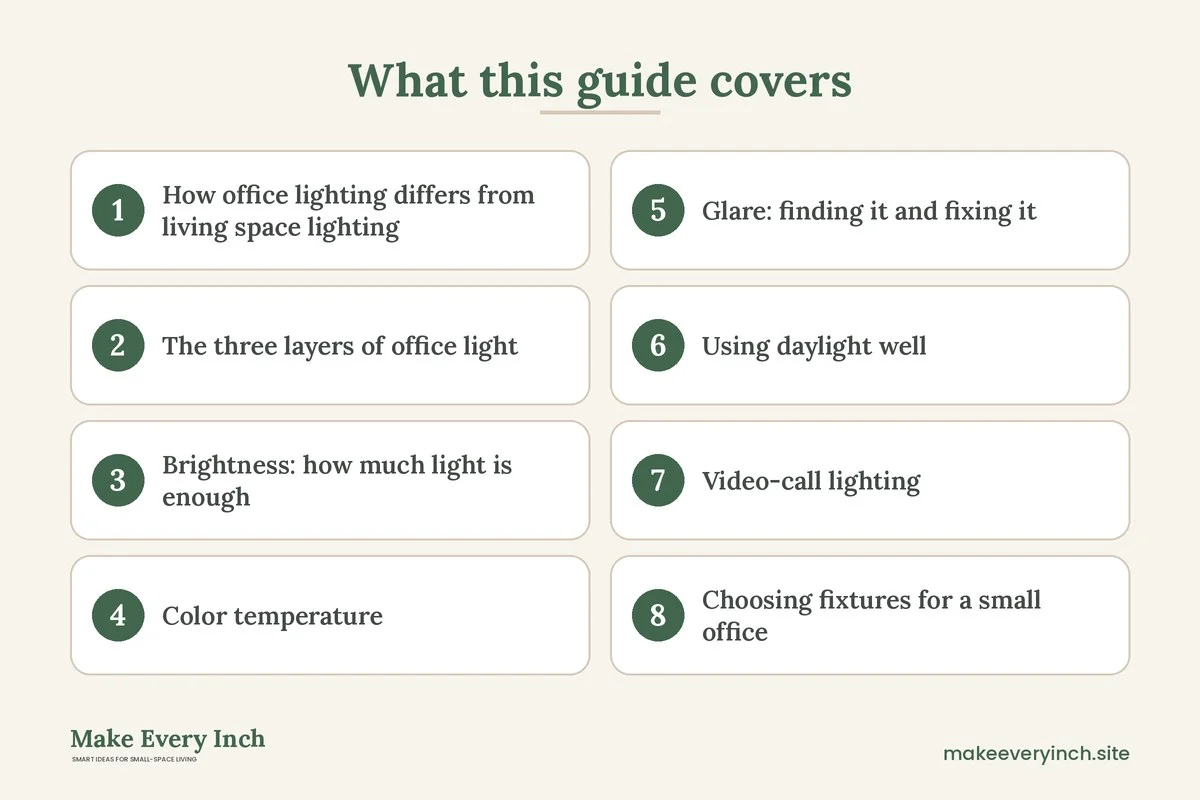
How office lighting differs from living space lighting
Our guide to studio apartment lighting ideas is about making a whole room feel zoned and cozy. Office lighting has a narrower brief. The goals are to see clearly, reduce eye strain, avoid reflections on the screen and look good on camera. Mood is secondary.
A few differences help set priorities.
- Brightness: a living room is comfortable at a gentle level. A desk needs noticeably more light on the work surface, especially for paper and for small print.
- Contrast: your eyes work harder when the screen is much brighter or much darker than the room. A dark room with a bright monitor tires the eyes faster, so the room should not be pitch black.
- Direction: light must come from a side that does not cast shadows on your hands or reflect on the screen.
- Color: a warm yellow light feels cozy but can feel sleepy at 2 pm, while a very cool blue light can feel harsh. A middle setting suits most workdays.
- Camera: a webcam sees your face, not the room, so the light on you matters more than the light on the ceiling.
Keep these in mind and the choices below make sense. The advice here is general and not medical. If you have frequent headaches, eye discomfort or a vision condition, talk to an eye care professional.
The three layers of office light
Layer 1: Ambient light
Ambient light fills the room so that the area outside your screen is not a dark void. In a small office a single ceiling fixture or a floor lamp aimed at the ceiling often does this. If the ceiling light is a harsh bare bulb, swap in a diffused shade or a frosted bulb, if your lease allows. If you rent and cannot change a fixture, use a floor lamp that bounces light off the ceiling or a wall. See best floor lamps for small rooms for what to look for.
Ambient light should be even. If one corner is bright and another is dim, the eye keeps adjusting. A good aim is for the wall behind the screen to be lit softly, so the contrast between screen and background is gentle.
Layer 2: Task light
A task lamp lights the work surface, not the room. It should be adjustable, so you can aim it at paper, a keyboard or a notebook and away from the screen. Place it on the side opposite your writing hand. If you are right-handed, put it on the left, so your hand does not cast a shadow over the page. If you use a mouse in your right hand and mostly work on a screen, the lamp can sit to the side or behind the monitor, bouncing light on the wall.
Look for a lamp with a shade or a head that directs light downward, an arm or a neck that moves, a dimmer and a stable base or a clamp. A clamp frees up desk space, but only attach it where the desk edge can take it, and never to a surface that might be damaged.
Layer 3: Accent and bias light
Accent light adds depth and makes a small office feel designed rather than clinical. A small lamp on a shelf, a strip of warm light under a shelf or a plug-in sconce are examples. A bias light is a soft light behind the monitor, which reduces the contrast between the bright screen and the dark wall. It is optional, but many people find it more relaxing during long sessions. Keep accent light dimmer than the task light so it never competes.
Brightness: how much light is enough
Brightness is measured in lumens for the bulb and in lux for what reaches the surface. You do not need a meter. The following ranges are common planning guides and not strict rules, and different tasks and people need different levels.
- Whole small room (ambient): roughly 300 to 500 lux is a common target for a general office. In a small room that usually means about 1,000 to 2,000 lumens from the combined ambient sources.
- Desk surface (task): 500 lux or more is a common recommendation for reading and writing, so the task lamp should be able to provide roughly 400 to 800 lumens on a small area.
- Screen work only: you need less light on the desk but still a lit room. Too much overhead light creates reflections on the screen.
- Detailed work: drawing, sewing or reading fine print benefits from a stronger, closer lamp.
If you are unsure, choose lamps with dimmers. A dimmable lamp lets you set the level to the task and the time of day, and it avoids buying a new bulb when you change your mind.
Color temperature: warm, neutral or cool
Color temperature is measured in kelvins (K). Lower numbers are warmer and yellower, while higher numbers are cooler and bluer. Choosing the wrong temperature is one of the most common mistakes in a home office.
- 2700 K to 3000 K, warm white: cozy and relaxing, good for evening wind-down and for a reading corner, but it can feel dim for focused work.
- 3500 K to 4000 K, neutral white: a balanced light that works for most office tasks and looks natural on skin.
- 4500 K to 5000 K, cool white or daylight: crisp and alert, good for detailed tasks and for a room with little natural light, but it can look harsh if every light in the room is this cool.
- 5000 K to 6500 K, very cool daylight: very bright and blue-white. Some people like it for precise tasks, though it can feel clinical.
A practical approach is to use neutral white for the main light and to keep a warmer lamp for evening. Tunable lamps change temperature with a switch or a remote, which suits an office that is also a living space. Keep the bulbs in one room within a similar range, because a mix of warm and cool bulbs looks messy and distracts the eye. Light close to bedtime may affect sleep for some people, so many choose a warmer, dimmer setting in the evening.
Also check the color rendering index (CRI), which tells you how faithfully a light shows colors. A higher CRI helps with design work, makeup on calls and looking natural on camera. A value of 80 or more is common, and 90 or more is a plus for color-critical work.
Glare: finding it and fixing it
Glare is light that bounces off a surface into your eyes. In a small office it is the most common cause of tired eyes and squinting. There are two kinds: direct glare, where you see a bright bulb or a window, and reflected glare, where a bright source bounces off the screen, a glossy desk or a shiny wall.
Find it
Turn off the screen and sit in your normal position. Look at the black screen and note any reflections of windows, lamps or bright walls. Then place a mirror or a sheet of glossy paper on the desk and look for bright spots. Repeat at different times of day, because daylight changes.
Fix it
- Move the screen: position the monitor at a right angle to the window, not facing it or with its back to it. The window should be to the side.
- Tilt the screen slightly: a small tilt downward can remove reflections from a ceiling light.
- Use a shade or a diffuser: a bare bulb in your line of sight should be covered by a shade, a diffuser or a frosted bulb.
- Lower the angle of the task lamp: aim it at the desk, and keep the light source out of your line of sight.
- Add blinds or sheer curtains: sheer curtains soften daylight while still letting it in. Our guide on renter-friendly lighting ideas shows ways to do this without drilling.
- Choose a matte surface: a matte desktop or a desk mat reduces bounce from a glossy top.
- Consider an anti-glare screen filter: this is optional and depends on your screen.
- Match room and screen brightness: if the screen is much brighter than the room, lower the screen brightness or raise the ambient light.
Glare moves with the sun, so check the setup in the morning, at noon and in the late afternoon. If no position works at all times, a movable lamp and a blind will do the rest.
Using daylight well
Daylight is free and pleasant, but it changes and can cause glare. The best place for a desk is usually beside a window, with the light coming from the side. A desk facing a window gives you a view but also a bright background that makes the screen harder to read. A desk with its back to the window puts light on the back of your screen and reflects on it. If your room allows only one of these, use sheer curtains and a lamp to balance.
Keep windows clean, because dirty glass lowers the light. Light colored walls and a white or pale ceiling bounce more light around a small room. A mirror placed at a right angle to the window can reflect daylight deeper into the room, but check that it does not bounce a glare onto the screen. Use small bedroom lighting ideas as a reference if the office shares a room with a bed.
Video-call lighting
On a call, a good light makes you look awake and clear. A bad one makes you look like a silhouette. You do not need professional gear, only a few smart placements.
- Face the light: the main source should be in front of you, slightly above eye level, and at a mild angle. A window in front, with you facing it, is the best free light.
- Avoid a bright window behind you: it turns you into a shadow. Close the blind or move your chair.
- Use a soft, diffused source: a lamp with a shade, a desk panel with a diffuser or a bounced light is kinder to the face than a bare bulb.
- Add a second, softer light: a light from the side, at lower power, fills in shadows.
- Match color temperature: keep the call light close to the room light so skin tones look natural.
- Check your screen: a bright white page on the screen adds light to your face, which can help, though it may also cause glare on glasses. Tilt the screen if so.
- Look at the background: a lamp or a bright bulb in the frame pulls attention. Use a soft glow, such as a small lamp on a shelf, to give depth.
- Test before the call: open the camera preview, look at your face and adjust.
If you wear glasses, move the light higher and to the side to reduce reflections. For two people calling in the same room, each needs their own light and a separate background.
Choosing fixtures for a small office
Small offices rarely have room for large fixtures, so choose pieces that do more than one job.
- Clamp lamp: attaches to the desk edge and frees the surface. Check that the desk edge is solid.
- Swing arm lamp: reaches a long way from a small base.
- Compact floor lamp: lights the corner and bounces light off the ceiling.
- Under-shelf lighting: lights the desk surface from above without taking space.
- Plug-in sconce: a wall lamp that uses a plug and a cord cover instead of wiring.
- Monitor light bar: sits on the top of a screen and lights the desk without reflecting on the screen.
- Smart bulbs: change brightness and color temperature, and let you schedule warm light in the evening.
- Light panel for calls: a small panel on a stand or clipped to the screen.
For renters, plug-in and battery-powered options are the easiest. For small spaces with a shelf above the desk, a rechargeable strip under the shelf can fill the gap. Always ask your landlord before you replace a hardwired fixture or drill into a wall.
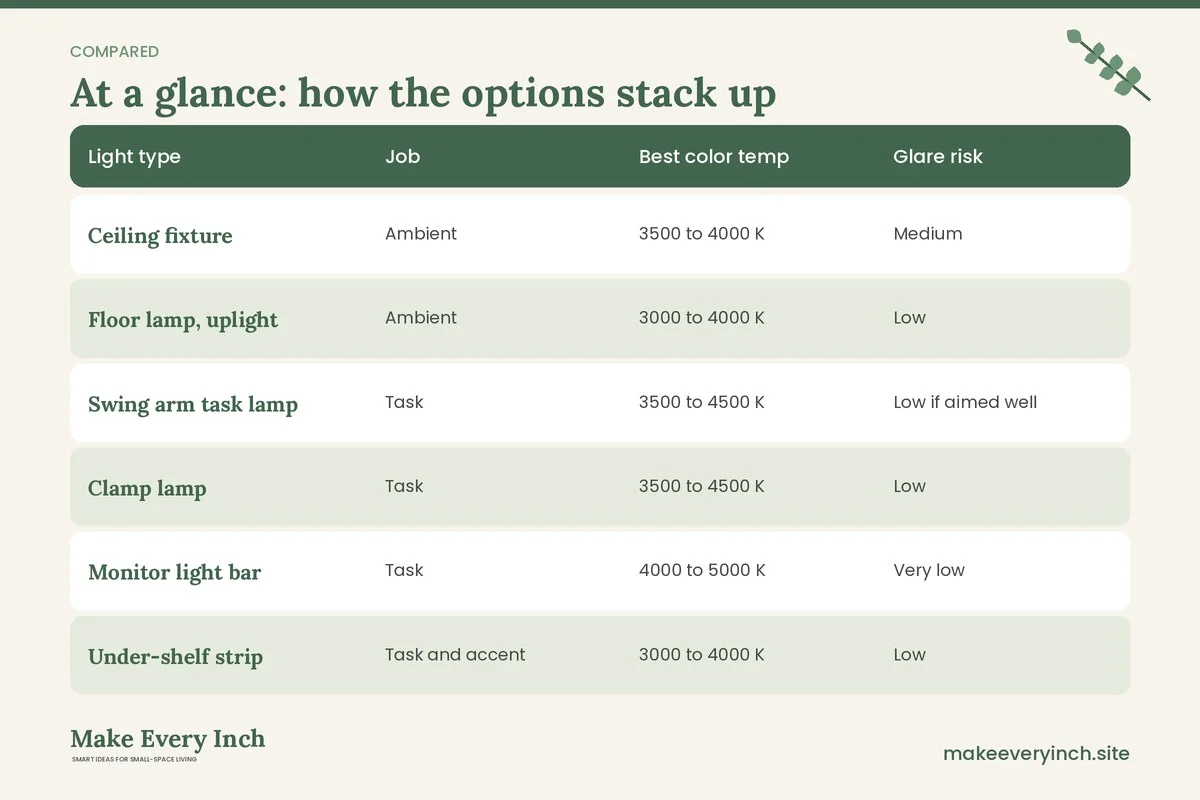
Lighting comparison table
| Light type | Job | Best color temp | Glare risk | Space needed | Renter friendly |
|---|---|---|---|---|---|
| Ceiling fixture | Ambient | 3500 to 4000 K | Medium | None | Depends on lease |
| Floor lamp, uplight | Ambient | 3000 to 4000 K | Low | Small footprint | Yes |
| Swing arm task lamp | Task | 3500 to 4500 K | Low if aimed well | Desk corner | Yes |
| Clamp lamp | Task | 3500 to 4500 K | Low | None on desk | Yes |
| Monitor light bar | Task | 4000 to 5000 K | Very low | None | Yes |
| Under-shelf strip | Task and accent | 3000 to 4000 K | Low | None | Often |
| Plug-in sconce | Ambient and accent | 2700 to 3500 K | Low | Wall space | Yes, with care |
| Video call panel | Face light | Match the room | Medium | Small | Yes |
| Bias light behind screen | Contrast | 4000 to 6500 K | Very low | None | Yes |
Electrical safety for office lighting
Office lighting adds to the load on outlets that may already power a computer, monitor, router and chargers. A few habits keep that safe. They are general tips, not a replacement for advice from a qualified electrician.
- Use the right bulb: check the maximum wattage printed on the lamp, and never exceed it. LED bulbs run cooler than old incandescent bulbs, which makes them a better choice for a compact office.
- Use a protected power strip: choose one with surge protection and a circuit breaker, and plug it straight into a wall outlet. Do not daisy-chain strips.
- Do not overload: add up the devices on a strip. If you run a space heater, plug it into the wall, not into a strip.
- Keep cords in order: avoid running cords under rugs, across walkways or through a doorway. Use cord covers where needed, and see renter-friendly ways to hide cords.
- Check for heat: a lamp, a strip or a charger that feels hot should be unplugged and checked. Never cover a lamp with fabric or paper that touches the bulb.
- Mind water and plants: keep drinks and plant pots away from outlets and cords.
- Inspect cords: replace any lamp with a cracked, frayed or loose cord.
- Respect the lease: do not rewire a fixture or drill into a wall without permission. Plug-in and clamp lamps need no wiring.
- Use timers or smart plugs carefully: make sure the plug is rated for the lamp, and do not use one for a heater.
- Anchor tall lamps: a tall floor lamp should stand on a stable base, away from walkways and chairs, so it cannot tip.
If a light flickers, a breaker trips often or you smell something burning, stop using the circuit and have a qualified electrician look at it.
A day of light: setting up scenes
A home office changes through the day, and so can its light. Try these three scenes.
- Morning focus: ambient light on, task lamp at medium, neutral white, curtains open to let in side light.
- Afternoon slump: raise the task lamp slightly and add some cooler light, take a brief walk or open a window, and check for new glare as the sun shifts.
- Evening wind-down: dim the ambient light, switch the task lamp to a warm setting and turn off the cool light. If the office shares a room with a bed or a sofa, this helps the space switch from work to rest.
Smart bulbs make this easy, but a simple dimmer and two bulbs do the same job. Changing the light is also a cue for your brain that the workday is over.
Three example offices
Example 1: A desk in a bedroom corner
A 48 inch desk sits at the side of a window. The ambient light is a floor lamp bouncing off the ceiling, and the task light is a swing arm lamp on the left of the desk. A small lamp on a shelf provides a warm glow in the evening. The monitor sits at a right angle to the window, with a sheer curtain to soften the light. Bulbs are 3500 K for daytime and a warmer lamp for the evening. For more on this layout, see small bedroom ideas with a desk.
Example 2: A closet office
A converted closet is deep but dark. A rechargeable strip under the shelf lights the desk, and a small clamp lamp provides focused light. The walls are painted a light, low-VOC color and the door is left open for air. A light bar on the monitor reduces strain, and the bulbs share a neutral temperature. No wiring is needed, and nothing is drilled into the wall without permission.
Example 3: A shared living room corner
A narrow desk sits in a living room next to a sofa. A plug-in sconce provides ambient light, and a clamp lamp lights the desk. For video calls, a small panel sits on a stand behind the laptop, facing the face. In the evening, the cool lights switch off and a warm lamp comes on. A folding screen hides the desk when the workday ends, which pairs well with studio apartment ideas for working from home.
Mistakes to avoid
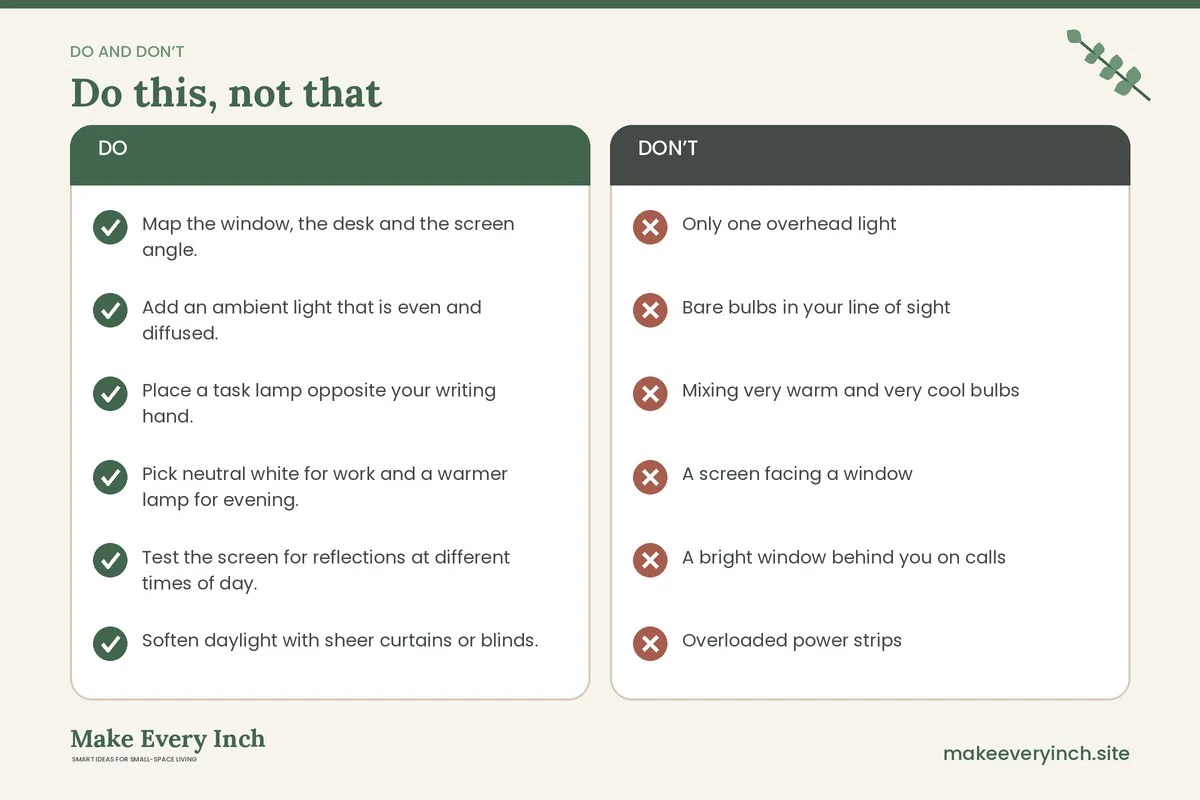
- Only one overhead light: it casts shadows and flattens the room.
- Bare bulbs in your line of sight: use shades or diffusers.
- Mixing very warm and very cool bulbs: it looks patchy.
- A screen facing a window: the glare can be strong.
- A bright window behind you on calls: it hides your face.
- Overloaded power strips: protect the circuit, and avoid daisy-chaining.
- Cords across the floor: a trip hazard.
- Drilling without permission: ask first, and prefer plug-in options.
- Ignoring evening light: a cool light late at night is not ideal for winding down.
Checklist
- Map the window, the desk and the screen angle.
- Add an ambient light that is even and diffused.
- Place a task lamp opposite your writing hand.
- Pick neutral white for work and a warmer lamp for evening.
- Test the screen for reflections at different times of day.
- Soften daylight with sheer curtains or blinds.
- Set up a face light for video calls and test it.
- Use dimmable lamps where possible.
- Plug into a protected strip, and do not daisy-chain.
- Keep cords tidy and out of walkways.
- Ask permission before changing a fixture or drilling.
- Review the setup each season, because daylight changes.
FAQ
How bright should a home office be?
A common guide is about 300 to 500 lux for the room and 500 lux or more on the desk for reading and writing. Dimmable lamps let you adjust to the task and the time of day.
What color temperature is best for a home office?
Neutral white, around 3500 to 4500 K, suits most work. Use a warmer light in the evening, and avoid mixing very warm and very cool bulbs in the same view.
Where should the desk lamp go?
On the side opposite your writing hand, so your hand does not shade the page. Aim it at the desk, and keep the bulb out of your line of sight.
How do I stop glare on my monitor?
Place the screen at a right angle to the window, tilt it a little, cover bare bulbs and use sheer curtains. Check at different times of day.
What is the best light for video calls?
A soft, diffused light in front of you, slightly above eye level, with no bright window behind you. A window in front of you works well in the daytime.
Is it safe to use a power strip for my lamps and computer?
Yes, if it is a protected strip, it is plugged straight into a wall outlet and the total load stays within its rating. Do not daisy-chain strips or plug a heater into one. If you have doubts, ask an electrician.
Can I do this in a rental?
Yes. Clamp, floor, plug-in and rechargeable lights need no wiring. Ask your landlord before you replace a fixture or drill into a wall. Our guide on renter-friendly lighting ideas has more options.
Keep going: Keep going with our small home office ideas pillar, the guide to small home office ideas for two people and our tips for diy desk ideas for small spaces.
Save this guide for later
Pin the ideas you like to Pinterest so you can come back to them when you plan your space.