Small Home Office Ideas Without a Desk
Quick answer: The best small home office ideas without a desk use a surface you already own: a lap desk on the sofa, a counter or shelf at standing height, the dining table, or a tray on an ottoman. Match the setup to the task, vary your position through the day, keep a clear 30 inches of walkway and remember that none of these replaces a proper desk for long daily sessions.
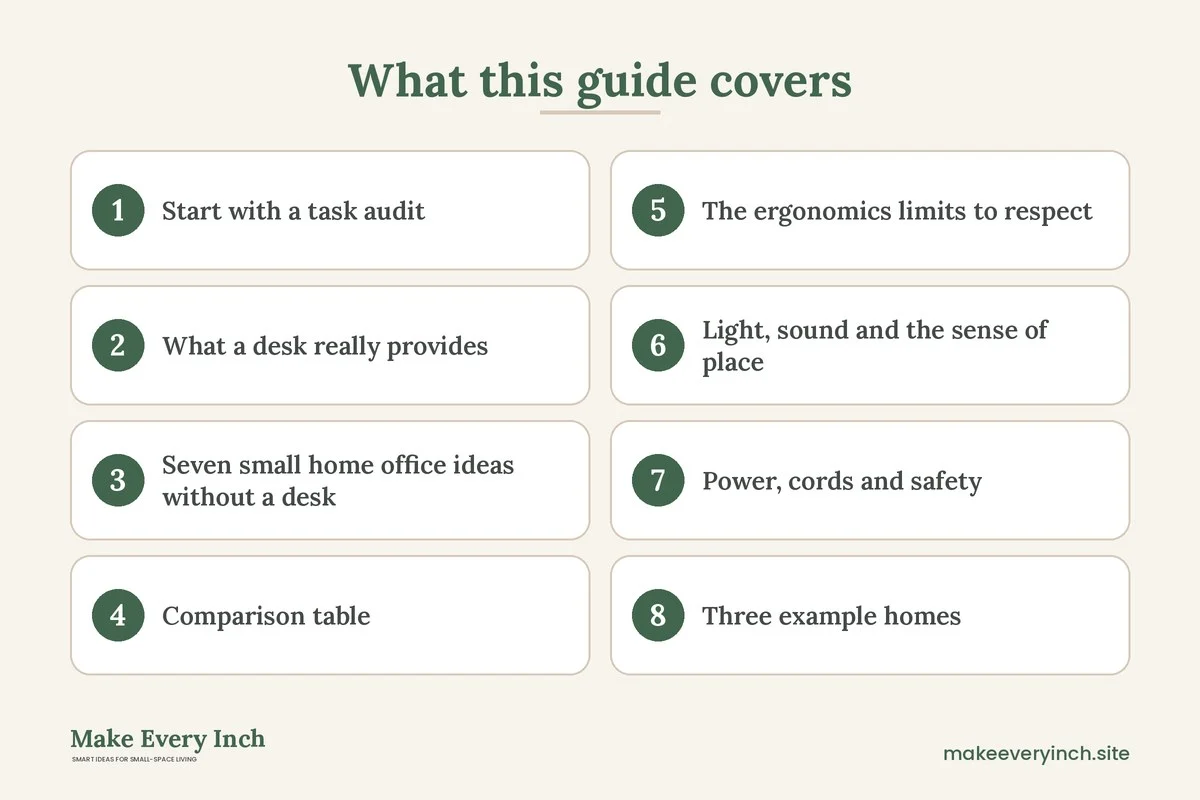
Small home office ideas without a desk are really about borrowing furniture. A studio, a shared bedroom or a rental with no spare corner leaves no space for a 48 inch desk, yet you may still need to answer email, join video calls and finish projects. The answer is rarely to buy something bigger. It is to choose a surface that already exists, to make it work for the task at hand and to put the equipment away when you finish. This guide covers a task audit, seven setups, the limits of each for comfort, a comparison table, three example homes, safety notes and a checklist. For the wider topic, read our pillar on small home office ideas, and for the storage side see our companion post on small home office storage ideas. If you do want to add a real desk later, our guides on how to fit a desk into a studio apartment and DIY desk ideas for small spaces can help.
Start with a task audit
A desk does several jobs, and each job has different needs. Before choosing a substitute, list what you do in a typical week and how long each task takes.
- Quick tasks (under 30 minutes): checking messages, paying a bill, a short call. Almost any surface works.
- Focus sessions (1 to 2 hours): writing, spreadsheets, design. These need a stable surface, good light and a screen at a comfortable height.
- Long days (4 hours or more): a full remote-work schedule. This is where a desk-free setup struggles most, and you should be honest about it.
- Calls and meetings: these need a steady camera angle, a quiet background and a place to sit that does not change mid-call.
- Paper and creative work: these need a larger flat surface and room to spread out.
If most of your work is quick tasks and short sessions, a desk-free setup can work well. If you work at a screen for most of the day, plan on at least one dedicated, properly sized surface, even if it folds away. Many people combine two setups, one for focus and one for variety.
What a desk really provides
It helps to know what you are replacing so you can rebuild the important parts. A good work surface gives you five things:
- A stable, flat surface that does not wobble when you type.
- A screen at roughly eye level so your neck is not bent down for hours.
- A keyboard and mouse height that lets your forearms rest comfortably, often around elbow height.
- Foot and knee room under the surface.
- A separate place that signals to your brain that work is happening.
Every idea below meets some of these and misses others. Knowing which ones you are missing lets you patch the gap with a riser, a separate keyboard, a cushion or a break routine. Comfort varies a great deal between people. This guide is not medical advice, so adjust to what feels right for your body, and speak to a qualified professional if you have pain or a health condition.
Seven small home office ideas without a desk
1. A lap desk on the sofa or bed
A lap desk is a small board, often with a cushioned base, that rests on your thighs. It is the quickest option and needs no floor space.
Best for: email, reading, light writing and short calls.
How to make it work:
- Choose a board roughly 20 to 24 inches wide and 12 to 16 inches deep, so a laptop and a mouse fit.
- Use a back-supporting cushion so your hips and lower back are held in a position you find comfortable.
- Raise your knees slightly with a pillow or a footrest if that feels better.
- Use an external mouse, because a trackpad on the lap is awkward.
- Pick a board with a lip or a non-slip surface so devices do not slide.
Limits: the screen sits low, which tends to bend the neck forward, and sofa cushions give less stable posture. Most people find it comfortable for short sessions only. Avoid it as your main setup for long days. Never leave a laptop on a soft surface that blocks its vents, because it can overheat. A hard board keeps the airflow clear.
2. A standing counter in the kitchen or entry
A kitchen counter, a high console or a bar-height ledge works as a standing desk if the height suits you. Counters are often around 36 inches high, and many people find a keyboard comfortable when their forearms are roughly level. Because counters vary, try the height before committing.
Best for: calls, planning, short bursts of focused work and tasks that benefit from moving around.
How to make it work:
- Raise the laptop on a stand or a stack of firm books and add a separate keyboard, so the screen is closer to eye level and your hands stay low.
- Stand on a cushioned mat or in comfortable shoes.
- Keep a stool nearby so you can alternate between standing and perching.
- Clear the part of the counter you need and keep liquids away from electronics.
Limits: standing for long periods is tiring for many people, and a counter shared with cooking means you must pack away at meal times. Plan to switch positions often.
3. A wall shelf or fold-down surface
A narrow shelf or a fold-down table gives you a flat surface that vanishes when you finish. A shelf at the right height can act as a standing perch, and a fold-down table can be used seated.
Best for: a dedicated work spot in a hallway, bedroom wall or entry.
How to make it work:
- Aim for a surface 10 to 16 inches deep for a small laptop, or 18 to 24 inches for a larger one with a mouse.
- Mount it into studs or with anchors rated for the load. A laptop, a lamp and a coffee cup can add up to more weight than you expect.
- Ask your landlord before drilling, and consider freestanding or no-drill alternatives if you cannot. Our guide on no-drill storage ideas for renters lists some.
- Leave knee room below if you sit, and a minimum of 15 to 18 inches clear above the surface if you add a shelf over it.
Limits: a fold-down table can wobble if the hardware is weak. A shelf holds a laptop but does not hold your forearms, so it is poor for typing for many hours. Keep it for focused tasks of an hour or less.
4. The dining table, with a reset routine
A dining table is often the largest flat surface in a small home, which makes it the strongest desk substitute. A table is usually about 28 to 30 inches high, a common height for a desk, and chairs are close enough to match.
Best for: long sessions, paper work, shared household use and video calls.
How to make it work:
- Keep a lidded box or a tray for work items. At the end of the day, everything goes into the box and the box goes onto a shelf or into a closet. Our guide on the best small dining tables and our post on studio apartment dining area ideas cover layouts that suit both uses.
- Add a laptop stand and an external keyboard to improve screen height.
- Put a cushion on the chair if the seat is hard, and consider a small footrest.
- Face a window if you can, but avoid glare on the screen. Place the monitor perpendicular to the window rather than directly in front of it.
Limits: a dining chair usually lacks lumbar support, and you must clear the table for meals. A reset routine is essential or the table will stay cluttered.
5. An ottoman tray or coffee table station
A tray on a large ottoman or a coffee table turns the living room into a low work spot. It suits sitting on the floor or on a low sofa.
Best for: brainstorming, reading, creative work and casual sessions.
How to make it work:
- Use a firm tray with a lip so it does not slide, and keep a stable seat such as a floor cushion or a low chair.
- If the ottoman has storage, keep the tray and the cables inside. See the best storage ottomans for what to look for.
- Add a lamp and a power cable routed away from walkways.
Limits: the table is low, which tends to bend the neck and curve the back for most people. Use it for shorter, relaxed tasks, and avoid it for long, focused sessions.
6. A rolling cart as a mobile station
A cart with wheels holds a laptop on top and supplies below. It can move next to the sofa, the bed or the window, and it tucks into a closet when you finish.
Best for: people who need to move through the day or share space with others.
How to make it work:
- Choose a cart with a top about 24 inches wide and 14 to 16 inches deep.
- Lock the wheels when working and keep the load on the lower shelves, so the cart does not tip.
- Check the top height. A cart is often lower than a desk, so you may need to sit on a low chair or stand with a raised laptop.
Limits: the surface is small and the cart can tip if overloaded. Not for heavy equipment.
7. A window ledge or a long console behind the sofa
A console table behind a sofa, or a deep windowsill, is a quiet, often-unused strip that can host a laptop. It uses a line of floor that was never part of the traffic route.
Best for: a semi-permanent spot in a living room or a studio.
How to make it work:
- Check the depth. A console 12 to 16 inches deep fits a laptop but not much else.
- Use a tall stool or a counter-height chair if the console is high.
- Mind the sun. A south-facing windowsill can heat a laptop and cause glare on the screen. Use a sheer curtain or move away from the window in the hottest hours.
- Keep outlets accessible, and avoid draping cords over radiators or heaters.
Limits: depth is small and the position faces the back of the room, which can be isolating.
Comparison table: which setup fits which job
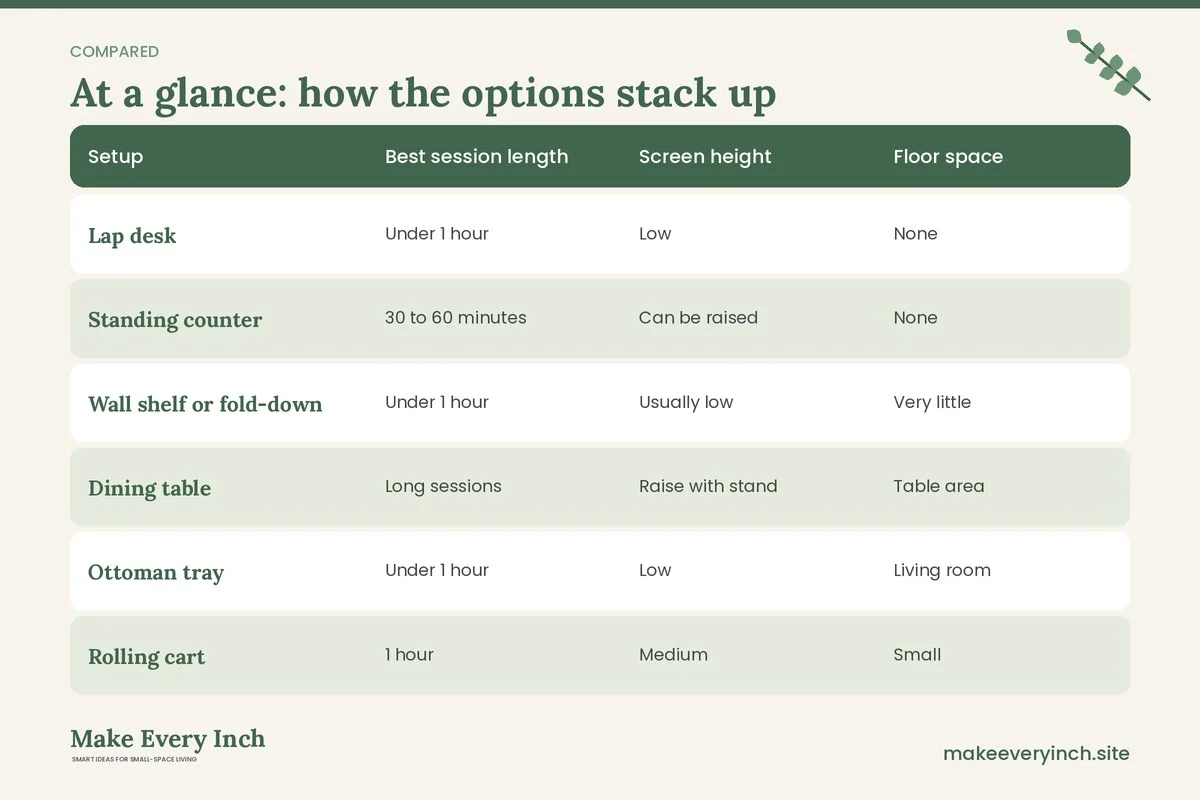
| Setup | Best session length | Screen height | Floor space | Main limit |
|---|---|---|---|---|
| Lap desk | Under 1 hour | Low | None | Posture and heat |
| Standing counter | 30 to 60 minutes | Can be raised | None | Fatigue, shared use |
| Wall shelf or fold-down | Under 1 hour | Usually low | Very little | Weight, wobble |
| Dining table | Long sessions | Raise with stand | Table area | Clearing for meals |
| Ottoman tray | Under 1 hour | Low | Living room | Neck and back |
| Rolling cart | 1 hour | Medium | Small | Tipping |
| Console or sill | 1 hour | Medium | Narrow strip | Depth and glare |
The ergonomics limits to respect
Working without a desk can be fine when you are honest about its limits. A few general principles apply to every setup:
- Vary your position. Try not to stay in one posture for long. Alternate between sitting, standing and short walks.
- Raise the screen, lower the hands. Where possible, separate the screen from the keyboard so each can sit at a more comfortable height.
- Support your back. A cushion or a rolled towel behind the lower back helps many people, but needs vary.
- Keep the screen at a comfortable distance. Many people sit about an arm’s length from the display.
- Take breaks. A short pause every half hour or so, to stand and stretch, is a common suggestion.
- Know when to upgrade. If you work at a screen for most of the day or feel strain, a proper desk and chair, even a compact one, is likely worth the space. See our guides on the best desks for small apartments and small bedroom desk ideas.
This is general guidance, not medical advice. Individual bodies and conditions differ, so consult a qualified professional if you experience persistent discomfort.
Light, sound and the sense of place
Without a desk, the room does not tell your brain it is time to work. Create that signal in small ways.
- Task light. A lamp that lights the surface without glare on the screen helps. Position it to the side, not behind the monitor. Use bulbs and fixtures within their rated wattage.
- Sound. Headphones help in a shared space and for calls. A rug, curtains and soft furniture reduce echo.
- Ritual. Use a tray, a mat or a particular chair that only appears at work time. Putting it away marks the end of the day.
- Background. For video calls, choose a plain wall or a tidy shelf, and place the camera at about eye level.
- Boundaries. A folding screen or a curtain can separate a corner from the rest of a studio. See our guide on studio apartment ideas for working from home.
Power, cords and safety
- Do not overload outlets. A laptop, monitor, lamp and phone charger on one strip is usually fine, but add a heater or other high-draw appliance and the load can rise quickly. Check the rated load of the strip and never plug one strip into another.
- Keep cords out of walkways. Route them along walls or under furniture, not across the floor. Our guide on renter-friendly ways to hide cords has options that need no drilling.
- Allow airflow. Do not use a laptop on a bed, blanket or pillow in a way that blocks the vents.
- Anchor shelves and tall units. Anchor any wall shelf or tall furniture with hardware suited to the wall, and only after getting permission to drill.
- Mind the lease. Read what the lease allows about drilling, adhesives and changes.
- Watch the water. Keep drinks away from electronics and chargers, particularly on the sofa and the counter.
- Ventilation. If you paint or finish a shelf, choose a low-VOC product and open a window.
Three example homes
Example 1: a studio with no space for a desk (about 400 square feet)
The dining table by the window is the main surface. A lidded box under the bed holds a laptop riser, a keyboard, a mouse and a charger. At 9 a.m. the box comes out, the riser goes up and the window light falls to the side. At 5 p.m. everything returns to the box and the table is clear for dinner. A lap desk on the sofa handles evening emails. Chair comfort comes from a seat cushion and a small footrest. The setup suits 4 to 6 hours of work with breaks.
Example 2: a shared one-bedroom with two people working
One person uses the dining table and the other uses a console behind the sofa with a tall stool. A rolling cart holds supplies and travels between rooms. Headphones handle calls, and a schedule avoids overlapping meetings. A shelf above the console is mounted into studs with landlord permission and holds binders. Each person has a lidded box so the living room returns to normal at the end of the day.
Example 3: a bedroom with a narrow wall
A fold-down shelf, 14 inches deep and 36 inches wide, is mounted with permission. A stool tucks under it. A small lamp clamps on the shelf’s edge. When closed, the wall looks like a simple panel. The person alternates between this shelf, a lap desk on the bed for reading and a standing spot at the kitchen counter for calls. For related ideas, see our post on small bedroom ideas with a desk.
Common mistakes to avoid
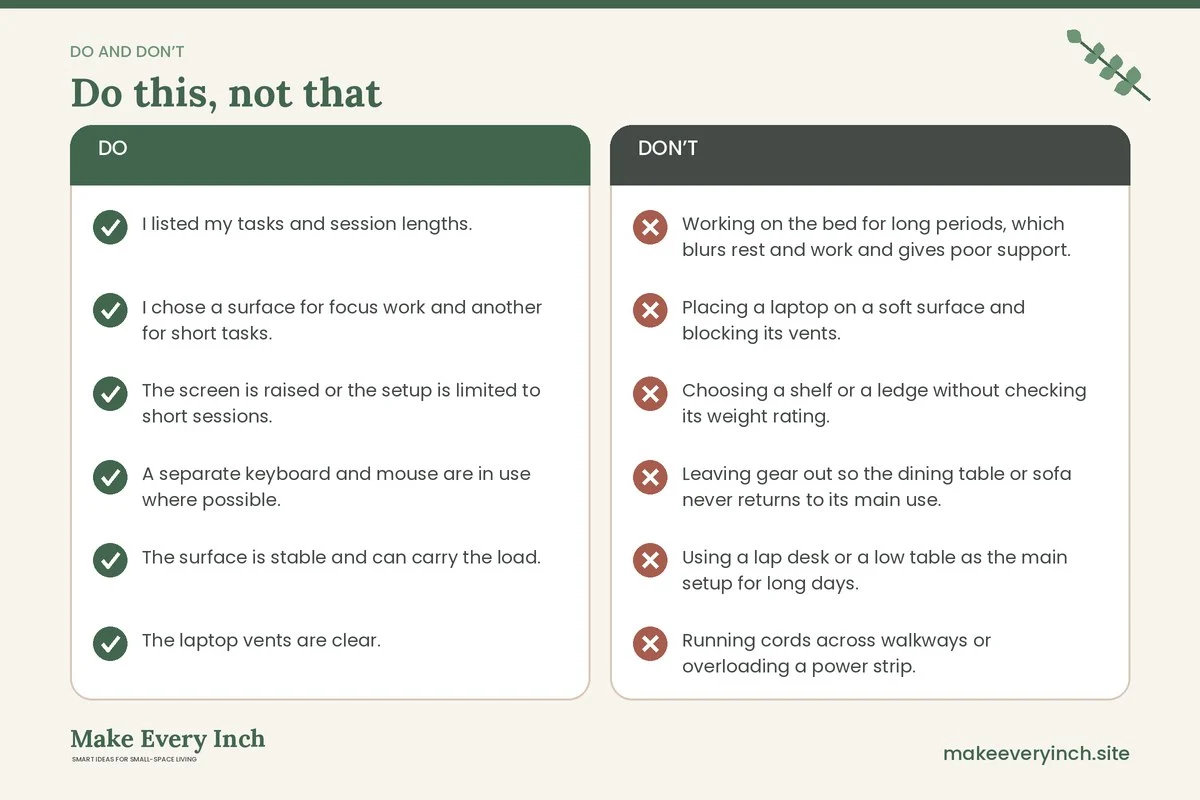
- Working on the bed for long periods, which blurs rest and work and gives poor support.
- Placing a laptop on a soft surface and blocking its vents.
- Choosing a shelf or a ledge without checking its weight rating.
- Leaving gear out so the dining table or sofa never returns to its main use.
- Using a lap desk or a low table as the main setup for long days.
- Running cords across walkways or overloading a power strip.
- Skipping breaks because the setup is casual.
A 15-minute setup and pack-down routine
1. Choose the surface that fits today’s task.
2. Fetch the work box and lay out only what you need: laptop, riser, keyboard, mouse and charger.
3. Check the lamp, the glare and the cords.
4. Set a timer for a stretch break.
5. At the end of the session, pack the box, wipe the surface and return the box to its shelf.
Checklist
- I listed my tasks and session lengths.
- I chose a surface for focus work and another for short tasks.
- The screen is raised or the setup is limited to short sessions.
- A separate keyboard and mouse are in use where possible.
- The surface is stable and can carry the load.
- The laptop vents are clear.
- Cords are out of walkways and the power strip is not overloaded.
- Any wall shelf is anchored, with permission.
- A pack-down routine marks the end of the day.
- I have a plan to move to a proper desk if strain or long hours demand it.
FAQ
Can I work from home without a desk?
Yes, for short sessions and flexible tasks. A dining table, a counter or a lap desk can all work. For long daily screen hours, most people are more comfortable with a dedicated desk and chair.
What is the best desk substitute for a small space?
The dining table is often the strongest option, because it is stable, the right height for many people and large enough for a laptop and papers. It needs a pack-down routine to keep it usable for meals.
Is a lap desk bad for my back?
Comfort varies. A lap desk puts the screen low, which can bend the neck, so many people keep it for short sessions. This is not medical advice, so speak to a professional if you have concerns.
How do I make a standing counter comfortable?
Raise the screen with a stand, use a separate keyboard so your hands stay low, stand on a cushioned mat and switch positions often.
How do I add a work surface without drilling?
Use freestanding options such as a rolling cart, a tray on an ottoman, a lap desk or a console table. See our guide on no-drill storage ideas for renters for related ideas.
How do I keep the dining table from becoming a permanent desk?
Keep work gear in one lidded box and make packing it away a daily habit. Clearing the table at a set time marks the end of work.
Keep going: Keep going with our pillar on small home office ideas, the storage guide on small home office storage ideas and our tips for working from home in a studio apartment.
Save this guide for later
Pin the ideas you like to Pinterest so you can come back to them when you plan your space.