Small Home Office Mistakes to Avoid
Quick answer: The small home office mistakes to avoid most often are a chair and desk at the wrong height, a screen facing a window, cables on the floor, an overloaded power strip, a desk that eats the walkway, too little storage and no boundary between work and home. Each has a cheap fix. Measure before you buy, aim light at the work and not at the eyes, and give the office a clear start and stop.
Small home office mistakes to avoid are rarely dramatic. Nobody buys a desk that is obviously wrong. The problems creep in over weeks: a neck that aches by Wednesday, a glare on the screen at three in the afternoon, a tangle of cords that collects dust behind the desk, a laptop that migrates back to the sofa because the office never felt like a real place to work. In a small space every error is amplified, because there is no spare room to hide it. This guide walks through 15 mistakes, explains why each one happens, and gives a practical fix. It also includes a quick audit you can do in 20 minutes, a comparison table, three example setups, a checklist and an FAQ. For the big picture, start with our pillar guide on small home office ideas, and if wall-mounted desks are on your list, read the companion post on small home office ideas with wall-mounted desks.
A note before we start. Anything here about posture, eyes or comfort is general information, not medical advice. If you have pain, numbness or a health condition, talk to a qualified professional about your setup. The numbers below are typical ranges, so adjust them for your own body, your furniture and your work.
Run a 20-minute audit first
Before you fix anything, find out which problems you actually have. Sit at your desk for a normal work session and keep a note on your phone. Write down every time you shift, squint, reach, untangle or get up for something that should have been within reach. At the end, you will have a short list that points to your real mistakes.
Then do three quick checks.
- The body check: Are your feet flat, your elbows near a right angle, and your screen roughly at eye level or a little below? If any answer is no, read mistakes 1 to 3.
- The light check: Take a photo of your screen with your phone while it shows a dark page. Any bright shape you see is glare. Read mistakes 4 and 5.
- The floor check: Look under and behind the desk. Cables, boxes, a bin and your feet all share that space. Read mistakes 6 to 9.
Keep the note, because you will tick items off as you go.
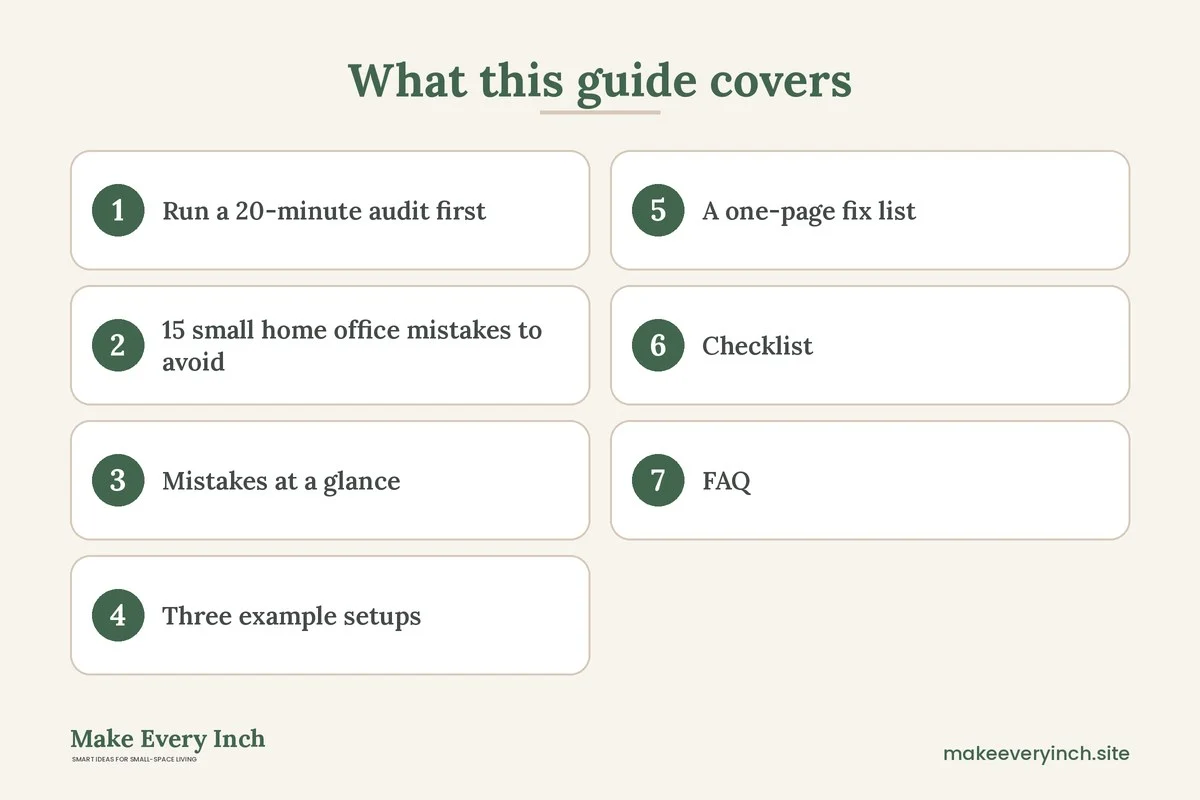
15 small home office mistakes to avoid
Comfort mistakes
1. Setting the chair and desk at the wrong height
This is the most common mistake, and it is easy to do because a dining chair and a table feel fine for the first hour. A typical guideline is that your feet rest flat on the floor or a footrest, your knees sit at about a right angle, and your forearms are roughly level with the desk while your shoulders stay relaxed. Many standard desks sit at about 28 to 30 inches high, which suits taller people but leaves shorter people with raised shoulders.
The fix: raise the chair until your elbows meet the desk surface comfortably, then add a footrest if your feet no longer touch the floor. A sturdy box, a low stool or a purpose-made footrest all work. If the chair cannot go low enough for the desk, add a cushion only when it does not make you slide forward. Measure, adjust, and re-check after a week, since your body will tell you what a quick test missed.
2. Putting the screen too low or too far away
A laptop on a desk forces your head down. Over a long day, that is a likely cause of strain in the neck and shoulders. A screen that is too far away makes you lean in, and one that is too close makes your eyes work harder.
The fix: raise the screen so the top edge is near eye level, and sit about an arm’s length away as a starting point. For a laptop, use a stand or a stack of sturdy books, plus a separate keyboard and mouse. The keyboard stays low, and the screen goes up. If you only use a laptop for short bursts, this can wait. If you work for hours, it is worth doing on day one.
3. Using a chair with no support for long hours
A stool, a folding chair or a bench fits a small room well, but they offer little back support. Sitting for long stretches on a seat that fights your posture is a mistake that shows up as restlessness first and discomfort second.
The fix: choose a chair for your hours, not for your floor plan. If you work for more than a couple of hours a day, pick a chair with an adjustable height and some support for the lower back. If space is tight, look for a compact chair that tucks fully under the desk. If you use a stool for short tasks, add a small cushion for the back, and stand or walk for a few minutes every hour. It also helps to alternate positions, for example sitting for part of the day and standing at the counter for another part.
Light and sight mistakes
4. Facing the window or sitting with it directly behind you
A screen that faces a bright window fights the daylight, so your eyes strain. A window directly behind you throws glare onto the display. Both are common in small rooms, where the desk goes wherever it fits.
The fix: place the desk so the window is to the side, at roughly 90 degrees to the screen. Use sheer curtains, a light blind or a removable window film to soften direct sun at certain hours. If the desk must face a wall, that is often better than facing a window. Our post on renter-friendly lighting ideas has more options that need no drilling.
5. Relying on a single overhead light
One ceiling light puts a shadow of your own head and hands across the work surface. It also creates a harsh pool of brightness in a small room, and the contrast against a bright screen tires your eyes.
The fix: layer the lighting. Use a general light for the room, then add a task lamp beside the work area. Position the lamp on the side opposite your writing hand to reduce shadows. Pick a bulb with a neutral to warm color temperature for long evenings, and avoid lights that bounce off the screen. Keep lamp cords tidy and away from walkways. If you plug in several lamps, chargers and a computer, check the rating on your power strip, as described in mistake 8.
Cable and power mistakes
6. Letting cables pile up on the floor
Loose cables are untidy, but they are also a trip risk and a magnet for dust. In a small office, the space behind the desk is where you put your feet, so the cords end up kicked, pulled and bent sharply at the plug.
The fix: gather cables into a bundle with reusable ties, run them along the back of the desk and secure them with adhesive clips that peel off cleanly. Leave a little slack at each plug, so nothing is pulled tight. Use a cable box or a sleeve for the power strip and the chargers. If you rent, read our guide on renter-friendly ways to hide cords for methods that do not mark the walls. Never staple through a cable, and never run cords under a rug, where heat and damage can go unnoticed.
7. Hiding the power strip where it cannot breathe
A power strip pushed into a closed box or buried under papers can trap heat. It is also hard to switch off or unplug when you need to.
The fix: keep the strip in an open, ventilated spot that you can reach. A mounting spot on the back or the underside of the desk works if it has air around it. If you use a cable box, choose one with vents, and do not fill it so tightly that cords press against the strip. Dust it from time to time, with the strip unplugged.
8. Overloading outlets and daisy-chaining strips
A computer, a monitor, a lamp, a space heater, a printer and a pile of chargers can add up. Plugging one power strip into another is a common shortcut that also raises the risk of overheating.
The fix: check the rating on the strip and the outlet, add up what you plan to plug in, and keep the total well under the limit. Use a strip with a built-in switch or surge protection, and plug it directly into the wall, never into another strip. Do not plug high-draw heating appliances into a strip at all, since they are best connected directly to a wall outlet when the manufacturer allows it. If a strip feels warm, smells odd or shows scorch marks, unplug it and replace it. If you are unsure about your wiring, ask a licensed electrician, and in a rental, tell the landlord about any outlet problem.
Layout mistakes
9. Blocking the walkway or the door
A desk that sticks out into a traffic path looks workable on a floor plan and feels cramped in real life. If you have to turn sideways to pass the chair, you will start to dislike the setup.
The fix: keep 30 to 36 inches of clear path for main routes, and at least 24 inches for a side route you rarely use. Tape the desk and the chair footprint on the floor with painter’s tape and walk around it for a day. Pull the chair out as you would when you stand up, because the chair needs space too. If the numbers do not work, choose a shallower desk, a corner position or a wall-mounted option. Our post on how to fit a desk into a studio apartment covers the measurements in depth.
10. Buying a desk that is too deep or too wide for the job
A desk that is bigger than the room needs steals space from everything else. One that is too small leaves you balancing a laptop on a notebook.
The fix: list what must sit on the desktop every day, such as a laptop or monitor, a keyboard, a mouse, a lamp and a notebook, then add 6 to 8 inches of margin. A depth of about 20 to 24 inches works for many laptop users, and a monitor setup may need 24 to 30 inches so the screen sits at a comfortable distance. A width of 36 to 48 inches suits many small rooms. Compare options in our guide to the best desks for small apartments and our DIY desk ideas for small spaces.
11. Putting the office in the bedroom without a plan
A desk beside the bed is a fine solution in many homes, but with no plan it blurs sleep and work. The laptop stays open, the papers land on the nightstand, and the bedroom starts to feel like an office at night.
The fix: set the desk so you face away from the bed while working, or add a screen, a curtain or a bookcase that blocks the view. Close the laptop and put the work items in a box or a drawer at the end of the day. Choose a different light for the office hours than for the sleeping hours. Read our posts on small bedroom ideas with a desk and small bedroom desk ideas for layouts that keep the two zones apart.
Storage and habit mistakes
12. Skipping storage because the desk looks clean
A clean desk with nowhere to put paper, chargers or supplies does not stay clean. Within a week, the surface becomes the storage.
The fix: add storage that matches the way you work. Use a wall shelf or a pegboard for items you reach for daily, a drawer or a small cart for supplies, and a box for files you need once a month. Use vertical space, because walls are often the only free area. If you fix a shelf to a wall, secure it to studs or with the right anchors for the load, and ask your landlord first if you rent. Tall shelving must be anchored so it cannot tip. Our guides on small space organization ideas and DIY wall storage ideas for small spaces go through the options.
13. Letting the whole home turn into the office
Using the sofa, the bed, the kitchen counter and the desk in turn is flexible, but it means work follows you everywhere. The fix is not a bigger home. It is a clear spot with a clear signal.
The fix: pick one place where work happens, even if it is a fold-down shelf, and keep the work items there. When you stop, close the laptop, put the pen away and cover or hide the desk if you can. A small ritual helps, such as a short walk, changing the lamp or switching off the strip. If your home is a studio, read our guide to studio apartment ideas for working from home for ways to separate zones without walls.
14. Having no boundary with the people you live with
Without a boundary, a roommate or a partner cannot tell when you are in a meeting. Interruptions rise, and so does stress on both sides.
The fix: agree on signals. A closed laptop, a lamp color, a small sign or headphones can mean “I’m in a call.” Agree on work hours, shared quiet times and shared use of the kitchen or living room. If you share the office, split the desk time on a simple schedule. For sound, soft materials such as rugs, curtains and a bookcase absorb echo, and a door draft stopper can help a little. None of these will turn a thin wall into a studio, so set expectations too.
15. Forgetting breaks, air and movement
A small office tends to be a small, warm, stuffy room. With a closed door and a running computer, the air gets stale, and sitting for hours makes you stiff.
The fix: open a window for a few minutes when the weather allows, and keep the vents clear. Check that the room has some ventilation, particularly if you use a heater. Set a timer for a stretch or a short walk each hour. Keep a glass of water on the desk. If you paint or refinish a desk, use a low-VOC product and ventilate until the smell fades. These are general wellness habits, not medical advice.
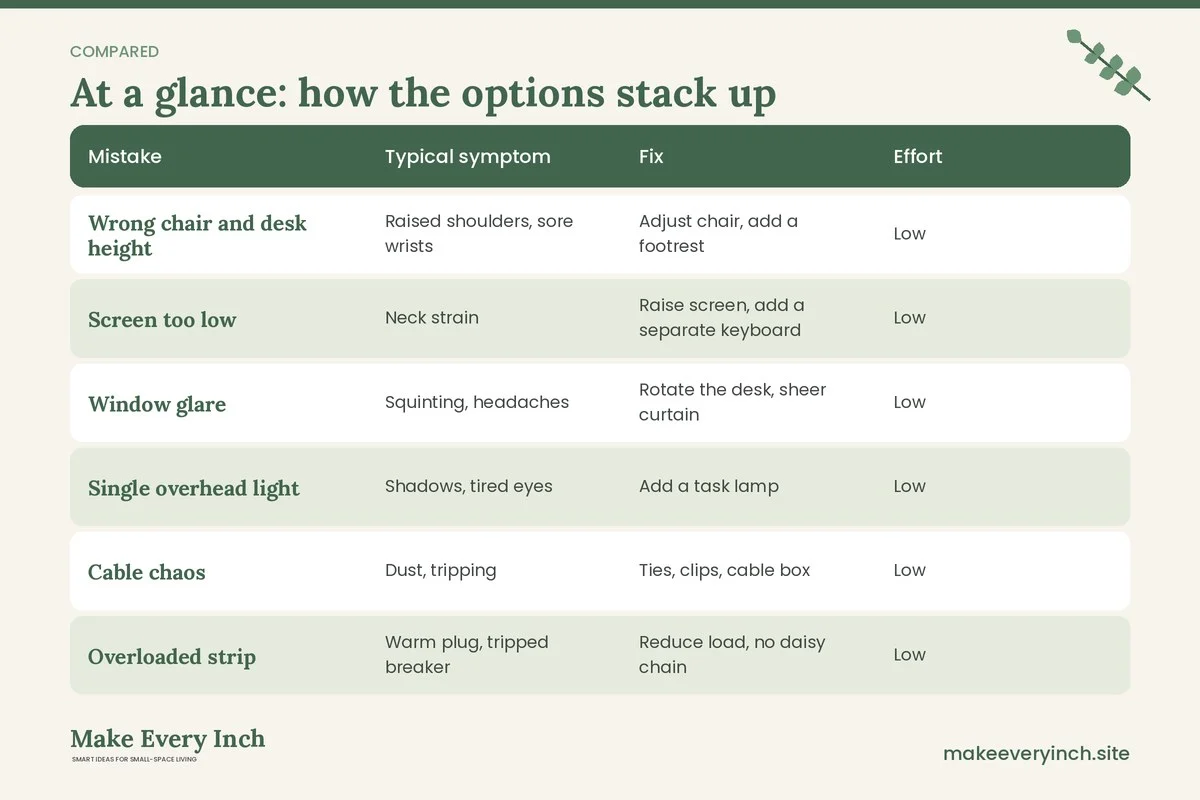
Mistakes at a glance
Use this table to see the cost of each mistake and how fast you can fix it.
| Mistake | Typical symptom | Fix | Effort | |
|---|---|---|---|---|
| Wrong chair and desk height | Raised shoulders, sore wrists | Adjust chair, add a footrest | Low | |
| Screen too low | Neck strain | Raise screen, add a separate keyboard | Low | |
| Window glare | Squinting, headaches | Rotate the desk, sheer curtain | Low | |
| Single overhead light | Shadows, tired eyes | Add a task lamp | Low | |
| Cable chaos | Dust, tripping | Ties, clips, cable box | Low | |
| Overloaded strip | Warm plug, tripped breaker | Reduce load, no daisy chain | Low | |
| Blocked walkway | Bumping into the chair | Tape test, smaller desk | Medium | |
| Wrong desk size | Cramped or wasted space | Measure, re-plan | Medium | |
| No storage | Surface clutter | Wall shelves, drawers | Medium | |
| No boundary | Burnout, interruptions | Signals, routine | Low |
Three example setups
Example 1: The hallway nook
A renter has a 5 foot wide hallway alcove. The mistakes were a tall chair, a laptop on the desk and a cable trailing to a far outlet. The fixes were a shallow desk about 18 inches deep, a laptop stand with a small separate keyboard, a short extension cord run along the baseboard with removable clips, and a task lamp clipped to a shelf. The alcove stays open to the hall, so they also painted the back wall a calm color with low-VOC paint, with the landlord’s permission, and hung a single shelf on studs for supplies.
Example 2: The bedroom corner
A couple share a one-bedroom apartment, and one of them works from home. The desk sat beside the bed, facing the window, with glare on the screen every afternoon. The fixes were turning the desk 90 degrees so the window is at the side, placing a bookcase between the desk and the bed, and anchoring it to the wall. A sheer curtain softened the light, and a closed lid and a covered tray marked the end of the day. The desk is 40 inches wide, which leaves a 32 inch path beside the bed.
Example 3: The studio fold-down
A studio dweller used the dining table as a desk and ended up working from the sofa. The fixes were a fold-down wall desk fixed into studs, with permission from the landlord, a small stool that tucks under, and a labeled box for papers. When folded, the desk looks like a shelf, so the home reads as a home at night. Cords run in a cable sleeve to a single switched power strip that stays within reach.
A one-page fix list
Start with the cheap, fast fixes, and finish the bigger ones when you have time.
1. Today: raise the screen, lower or raise the chair, and check that your feet are supported.
2. This week: move glare, add a task lamp and tidy the cables with ties and clips.
3. This month: check the power strip load, adjust the layout for a clear path, and add wall storage.
4. Ongoing: keep a start and stop ritual, schedule breaks and review your setup every few months.
Checklist
- My feet are supported, and my elbows are near a right angle at the desk.
- The top of my screen is near eye level, and a laptop has a stand and a separate keyboard.
- The window is to the side of the screen, not in front of it or behind me.
- I have a task lamp as well as a room light.
- Cables are bundled, with slack at each plug, and nothing runs under a rug.
- The power strip is ventilated, switched, plugged straight into the wall and not overloaded.
- I have at least 30 inches of clear walkway.
- The desk depth and width match what I use each day.
- There is storage for papers, chargers and supplies.
- Tall shelves are anchored, and I asked my landlord before drilling.
- I have a start and stop ritual and a signal for people at home.
- I take breaks and let fresh air into the room.
FAQ
What is the biggest mistake people make in a small home office?
The most common one is ignoring the height of the chair, desk and screen. It is easy to fix, and it affects comfort every day. Adjust the chair, support your feet and raise the screen.
Can I use a dining table as a desk?
Yes, for a while. Dining tables are often a bit taller than desks, so raise your chair and use a footrest. If you work most days, a dedicated spot, even a small one, helps you separate work from meals.
How do I deal with glare if I cannot move the desk?
Use a sheer curtain or blind, tilt the screen slightly, add a matte screen protector, and place a lamp so it does not reflect on the display. Working with the light to the side is usually the easiest approach.
Is a standing desk worth it in a small space?
It can be, because it combines two postures in one footprint. Whether it suits you is personal. A simple option is a counter or shelf at standing height for part of the day. Ask a professional if you have specific health needs.
How many things can I plug into one power strip?
It depends on the rating of the strip and the wall circuit, so read the labels, add up what you use and stay well below the limit. Do not plug a strip into another strip, and keep heating appliances off the strip unless the instructions allow it. When in doubt, ask an electrician.
How do I keep work and home separate in a studio?
Pick one spot, keep work items there and give the end of the day a ritual. A fold-down desk, a screen or a cupboard that closes over the desk makes the effect stronger.
Can I hang shelves in a rental to fix the storage problem?
Only with permission. Many leases ban drilling, so check first and ask in writing. If drilling is not allowed, use freestanding shelves that are anchored as the manufacturer advises, or adhesive solutions that match their weight ratings.
Keep going: Keep planning with our small home office ideas, small home office ideas with wall-mounted desks and studio apartment ideas for working from home.
Save this guide for later
Pin the ideas you like to Pinterest so you can come back to them when you plan your space.