12 Small Home Digital Decluttering Habits That Clear Physical Space Too
Quick answer: The best small home digital decluttering habits are a weekly 15 minute sweep of photos, files and apps, one charging station, a limit of one device per person per room, a paper-to-scan rule, and a monthly cord and gadget purge. Digital clutter takes up real space through chargers, spare devices, printed copies and screens, so clearing it makes a small home calmer and roomier.
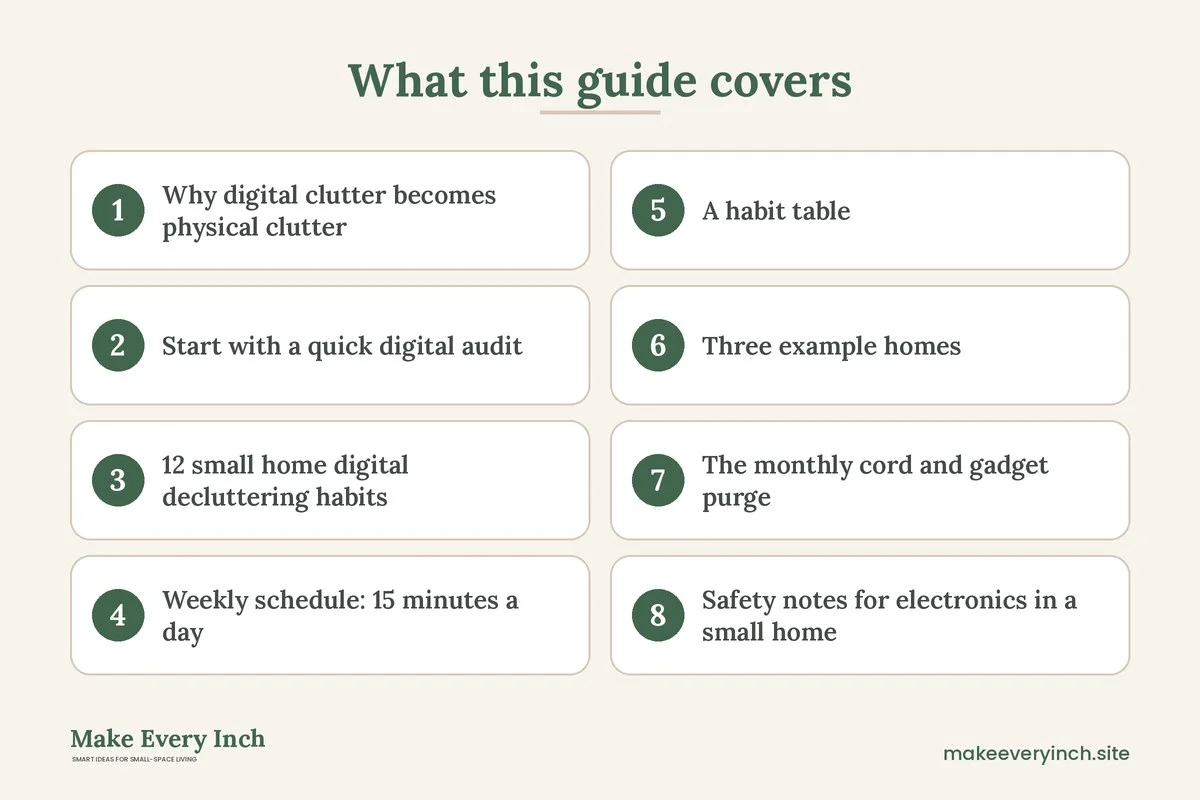
Small home digital decluttering habits are a surprisingly practical way to free up floor, shelf and drawer space. It sounds odd to tidy a phone in order to tidy a room, but in a small home the two are tied together. Every unused tablet needs a drawer, every duplicate charger needs a hook, every printed manual needs a folder, and every extra screen needs a surface. When your files, photos and subscriptions pile up, the physical objects that go with them pile up as well. This guide explains the link, then gives 12 habits, a weekly schedule, a habit table, three example homes, a cord and gadget purge, safety notes and a checklist. For the broader topic, start with our hub guide on small space organization ideas and pair it with the decluttering rules for small homes.
Why digital clutter becomes physical clutter
Most people think of digital clutter as invisible. It sits in a cloud or on a hard drive and takes up no room. In a small home, that is only half true. Look at what a typical digital life leaves behind in the physical world.
- Chargers and cables. Each device brings a cable, and every upgrade leaves old ones in a drawer or a tangle behind the sofa.
- Spare devices. Old phones, tablets, e-readers and laptops get kept “just in case” and take up a shelf or a box.
- Printed paper. Statements, tickets, manuals and photos get printed and filed, and then they need a cabinet.
- Storage media. Discs, drives and memory cards fill small boxes that never get opened.
- Screens and speakers. Every additional screen needs a spot, a power outlet and a clear sightline.
- Boxes. Packaging for gadgets often gets saved, and it eats closet space.
When you declutter the digital side first, you often discover that the physical side shrinks on its own. If you no longer need three streaming devices, you no longer need three remotes and three power bricks. If every document lives in one scanned folder, you can let the filing box go. The habits below are built around this chain reaction.
There is also a mental benefit. Notifications, unread messages and an overflowing photo library compete for attention in the same way a messy counter does. In a small home, where you see everything at once, calm on the screen supports calm in the room. Treat the digital clean-up as part of the same project, not a separate chore.
Start with a quick digital audit
Before building habits, take stock. Set aside 30 minutes and walk through your home with a notepad. You are counting, not deciding, so do not start deleting yet.
- Count the devices. Phones, tablets, laptops, e-readers, game consoles, speakers, cameras, smart home hubs, watches. Note which ones you used in the last 30 days.
- Count the cables and chargers. Gather them all onto one surface. Most households are surprised by the number.
- Count the places paper lives. A tray, a drawer, a bag, a box, a counter. Each one is a place where documents wait to be scanned or thrown out.
- Count the places digital files live. A phone, a laptop, a cloud account, a spare drive, an email inbox. More than three places usually means duplicates.
- Note your top three annoyances. A slow phone, a full photo library, a charging tangle. These become your first habits.
A short audit gives you a baseline. You will repeat it every quarter to see what has crept back. Write the numbers down in a notes app or on paper so you can compare.
12 small home digital decluttering habits
Habits for devices and charging
1. One charging station for the whole home
Choose one spot, such as a shelf in the entryway, a tray on a console or a drawer with a power strip, and make it the only place devices charge overnight. This stops cables from spreading across nightstands, sofa arms and kitchen counters. Keep the strip off the floor, do not cover it, and do not daisy-chain strips. A single station also makes it easy to see which chargers you use and which you do not. See our guide to small home drop zone ideas for ways to build the station into an entry.
2. One device per person per room
Set a household rule that each person has one main screen in each room. In a small living room that might mean one TV or one laptop, not both plus a tablet. The rule reduces the number of screens you need to house, and it also makes the room feel less like an office.
3. A 30 day rule for spare devices
Any device you have not used in 30 days goes into a labeled envelope or a small box with the date. If you have not reached for it in another 60 days, sell, recycle or donate it through an approved electronics collection point. Wipe personal data first, and follow your local guidance for batteries and e-waste.
4. A cable cull every quarter
Once every three months, unplug and gather the chargers in your station. Match each one to a device that still works. Cables with no match go to a recycling drop-off. Label the keepers with a strip of tape or a tag so you know which belongs to which device. For hiding the ones that stay, see our ideas for renter-friendly ways to hide cords.
Habits for files and photos
5. A fifteen minute Sunday sweep
Pick a regular time, such as Sunday evening, and spend 15 minutes on one task. Week one is the downloads folder. Week two is the phone photo library. Week three is the email inbox. Week four is apps. Rotate through the list so each area gets attention once a month. A short, fixed slot is easier to keep than an occasional marathon.
6. The one in, one out photo rule
Every time you take several shots of the same moment, delete the weaker ones that day. Photos you keep go into a monthly album with a simple name. This keeps the library from growing by hundreds of near-duplicates, and it makes the final backup smaller.
7. A three-folder file system
Use three top-level folders: Active, Reference and Archive. Active holds what you are working on this month. Reference holds things you look up, such as manuals and warranties. Archive holds finished items. If a file does not fit one of the three, you probably do not need it. Simple structures are easier to maintain than clever ones.
8. A fixed inbox routine
Check email at set times instead of constantly. Unsubscribe from one newsletter each time you open one you do not read. Flag only the messages that need an action, and clear them each Friday. An inbox that stays below a few dozen messages is easier to manage.
Habits for paper and printed copies
9. The scan-then-recycle rule
When paper arrives, decide where it goes the same day. If you need it, scan it or photograph it into the Reference folder, name it with the date and subject, and recycle the paper unless the law or the issuer requires the original. Keep only the documents that must stay in paper form, such as identity documents and certain legal papers. Our guide to small home paper organization ideas shows how to set up the small paper tray that sits behind this rule.
10. Say no to manuals and boxes
Most product manuals exist online. Save the PDF into the Reference folder, note the model number, and recycle the booklet. Do the same for gadget boxes once the return window has closed. This alone can free a shelf or a closet corner.
Habits for apps, subscriptions and screens
11. A monthly app and subscription review
On the first of the month, scroll through your apps and delete anything you have not opened in 60 days. Check recurring subscriptions and cancel the ones you no longer use. Fewer subscriptions mean fewer accounts, fewer emails and fewer devices you need to keep.
12. A screen-free zone
Pick one small area, such as the dining table, the bedside or the reading chair, and make it screen-free. This protects one corner from becoming a charging, scrolling and cable corner, and it gives the room a clear purpose. For a small bedroom, the bedside is the easiest place to start.
Weekly schedule: 15 minutes a day
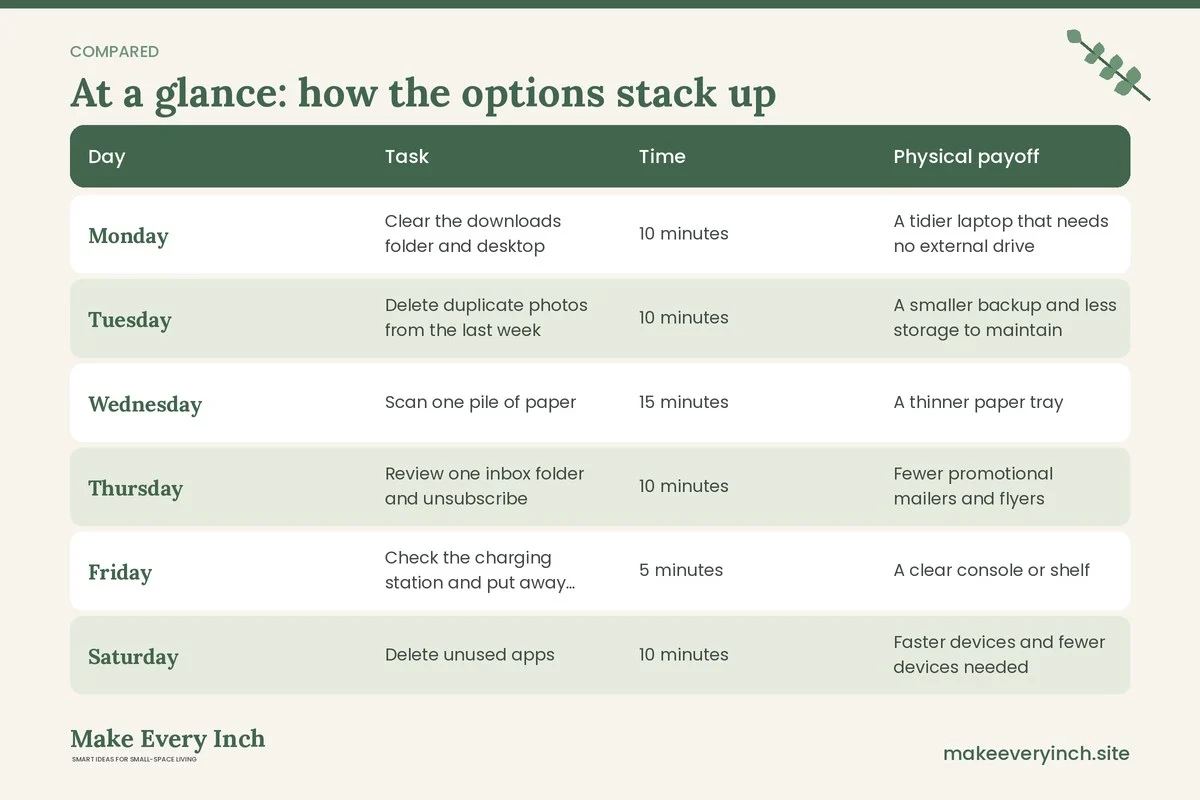
A short routine is easier to keep than a long one. Here is a sample week that fits into spare minutes. Adjust the days to your own rhythm.
| Day | Task | Time | Physical payoff |
|---|---|---|---|
| Monday | Clear the downloads folder and desktop | 10 minutes | A tidier laptop that needs no external drive |
| Tuesday | Delete duplicate photos from the last week | 10 minutes | A smaller backup and less storage to maintain |
| Wednesday | Scan one pile of paper | 15 minutes | A thinner paper tray |
| Thursday | Review one inbox folder and unsubscribe | 10 minutes | Fewer promotional mailers and flyers |
| Friday | Check the charging station and put away loose cables | 5 minutes | A clear console or shelf |
| Saturday | Delete unused apps | 10 minutes | Faster devices and fewer devices needed |
| Sunday | Plan the week and back up | 15 minutes | Peace of mind and fewer paper reminders |
If a day slips, do not try to catch up. Skip the task and continue with the next one. A habit that is easy to restart lasts longer than one that demands perfection.
A habit table: which problem, which habit
Use this table to match your biggest annoyance to the habit that fixes it fastest.
| Problem | Best habit | Time it takes | What it frees |
|---|---|---|---|
| Cables across the room | One charging station | 30 minutes to set up | Nightstand, sofa arm and counter space |
| Drawer of old gadgets | The 30 day rule | 20 minutes | One drawer or box |
| Slow phone, full storage | Photo rule and app review | 15 minutes a week | Phone space and less need for upgrades |
| Stacks of mail | Scan-then-recycle | 5 minutes a day | A tray, a file box or a cabinet shelf |
| Too many screens | One device per person per room | 10 minutes to agree | Surface, outlets and sightlines |
| Cluttered inbox | Fixed inbox routine | 10 minutes a week | Mental space |
| Piles of manuals | Say no to manuals | 30 minutes once | A shelf |
| Constant scrolling in bed | Screen-free zone | Instant | A calmer bedside |
Three example homes
A 450 square foot studio for one person
The resident works from a laptop and uses a phone, a tablet and a speaker. The charging station is a tray on a narrow shelf by the door, with a power strip fixed to the back of the shelf where it does not touch fabric. The tablet is a spare and goes into the 30 day envelope. Paper goes into a single wall pocket by the door and gets scanned each Wednesday. The result is a clear nightstand, a clear desk and one fewer drawer of gadgets. The desk holds one laptop and a lamp, and the cable for the lamp runs along the back edge of the desk with a few clips.
A 650 square foot one-bedroom for a couple
Two phones, two laptops, a TV, a game console and a shared printer are the starting load. The couple agrees on one device per person per room, so the bedroom keeps phones and a single e-reader, while the living room holds the TV and the console. The printer is the first thing they question. They scan at a public service or with a phone app and sell the printer, which frees a whole shelf. A shared Reference folder holds manuals, leases and warranties, and the paper box goes to the recycler. The weekly sweep alternates between their two phones so each person owns one task.
A 900 square foot two-bedroom with two children
Children bring tablets, headsets, game controllers and school printouts. The family sets one charging station on the kitchen wall, and every device goes there by a set time. Kids earn the right to choose which device comes out, and the rest stay in a low cabinet. A Sunday sweep covers school emails, photos and permission slips, and the paper goes to one wall-mounted folder. For young children, keep chargers and power strips out of reach and cover unused outlets. See our guide to small home organization for families for more routines that suit a busy household.
The monthly cord and gadget purge
Once a month, spend 20 minutes on a hands-on purge. This is the physical half of the habit.
- Unplug everything from the charging station and lay it out on a clean surface.
- Match each cable to a device. Put aside the matched ones and recycle the others at an approved collection point.
- Check each cable for fraying, bent connectors and heat damage. Damaged cables should be replaced, not taped.
- Check the power strip for scorch marks and a warm plug. If you see damage, stop using it.
- Wipe the surface and the strip with a dry cloth. Dust builds up quickly.
- Return the keepers and label them.
For desks, extend the habit into the workspace with our small home office cable management ideas and tick through the small home office organization checklist every quarter.
Safety notes for electronics in a small home
- Do not overload outlets or strips. Check the rating on the strip and add up the devices on it. Use a surge-protected strip with an on/off switch where appropriate.
- Keep ventilation clear. Laptops, consoles and routers need space around them. Do not stack items on top of them or tuck them in a closed cabinet without airflow.
- Never run cords under rugs or across walkways. They can overheat and are a trip hazard.
- Keep liquids away from charging spots. A mug on a console with a power strip is a risk. Choose a different spot for drinks.
- Handle old batteries carefully. Swollen or damaged batteries should not be kept in a drawer. Take them to a proper collection point.
- Protect children and pets. Cover unused outlets, keep cables out of reach and mount strips high or inside a closed box with ventilation.
- Do not drill or screw into walls without permission. If you rent, use freestanding shelves, adhesive-free trays or furniture to hold your station. Check the lease before using any wall fixing.
- Anchor tall furniture. If your charging station sits on a tall cabinet or bookcase, anchor it according to the instructions and with the landlord’s permission, or choose a low unit instead.
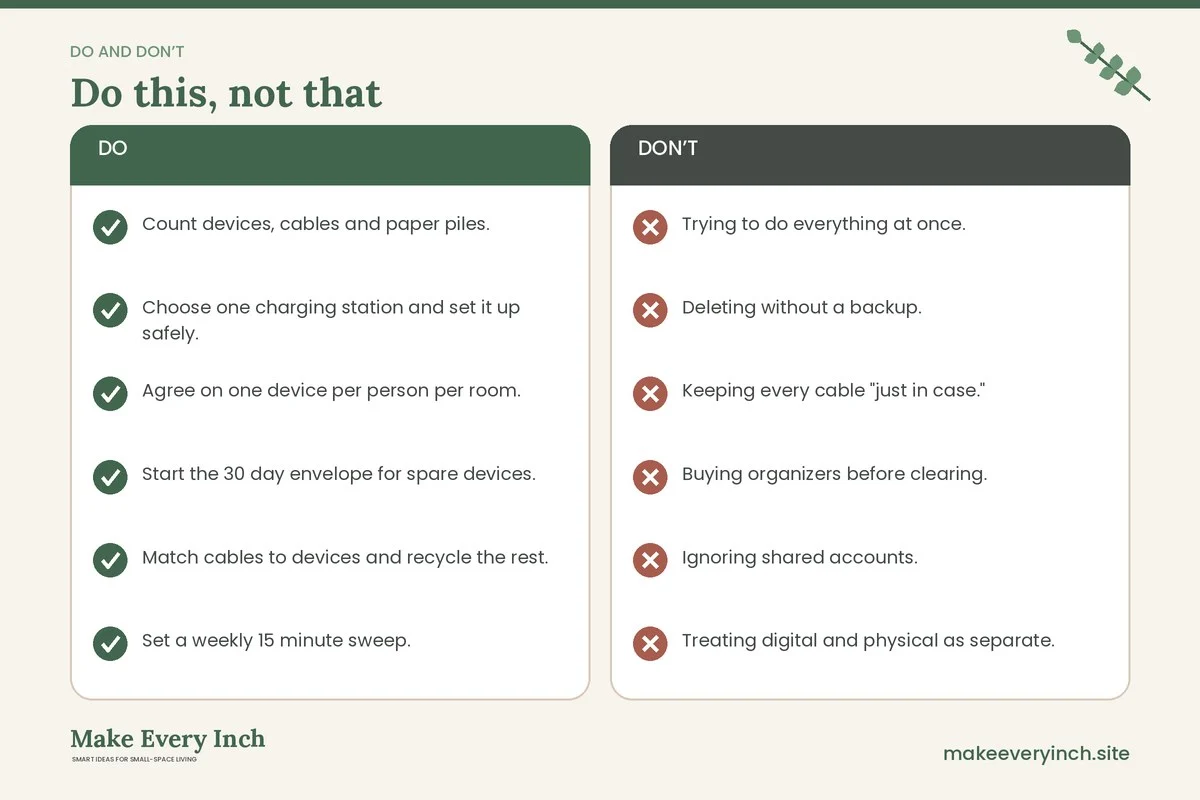
Mistakes to avoid
- Trying to do everything at once. A weekend of mass deleting leads to regret and burnout. Do a little each week.
- Deleting without a backup. Make sure a copy of important files exists in a second place before you delete the original.
- Keeping every cable “just in case.” A tangle of unmatched cables serves no one. If it fits no device, it goes.
- Buying organizers before clearing. A new tray for cables is useful only after you have reduced the number of cables.
- Ignoring shared accounts. Family photos, shared drives and household subscriptions need an owner and a routine.
- Treating digital and physical as separate. The best results come when you link them, as in the charging station and the paper tray.
For more on what goes wrong with home organization in general, read our post on small home organization mistakes to avoid.
Make the habits last
A habit sticks when it is small, tied to a cue and easy to restart. Attach each habit to something you already do. Charge devices when you come through the door. Scan paper while the kettle boils. Run the app review when you pay rent. Put a repeating reminder on your phone for the Sunday sweep, and keep the checklist where you will see it. Review your quarterly audit numbers and celebrate small wins, such as one fewer drawer or a clear console. For more on making routines stay, read small home organization ideas that actually last, and if your schedule is tight, try the tips in small home organization for busy people.
Digital decluttering checklist
- Count devices, cables and paper piles.
- Choose one charging station and set it up safely.
- Agree on one device per person per room.
- Start the 30 day envelope for spare devices.
- Match cables to devices and recycle the rest.
- Set a weekly 15 minute sweep.
- Adopt the three-folder file system.
- Scan new paper the same day and recycle what you can.
- Save manuals as PDFs and let go of the booklets and boxes.
- Review apps and subscriptions monthly.
- Make one corner screen-free.
- Back up before deleting, and repeat the audit every quarter.
FAQ
What are the first small home digital decluttering habits to try?
Start with a single charging station and a fifteen minute weekly sweep. These two habits are quick, visible and reduce both cables and files. Add the others one at a time, about one new habit every two weeks.
How does digital decluttering save physical space?
It reduces the number of devices, cables, printed documents and boxes you need to store. Fewer screens need fewer surfaces, and scanned papers need no filing cabinet. In a small home, even one cleared drawer or shelf is a real gain.
Is it safe to delete old photos and files?
It is safe when you keep a backup in a second location first. Check that the backup opens, then delete the duplicates. Keep original documents that the law or an issuer requires in paper form.
What should I do with old phones and tablets?
Wipe personal data, remove accounts and take them to an approved electronics collection point, or pass them on if they still work. Do not leave them in a drawer for years, because batteries can degrade.
How often should I repeat the audit?
Once a quarter is enough for most households. Put it on the calendar with the seasonal change, and compare your counts with the last audit.
Can I do this in a rental without changing the walls?
Yes. All of these habits use trays, shelves, power strips on a surface and folders. Do not drill or fix anything to the walls without the landlord’s permission.
How do I get a partner or children to join in?
Start with the habit that solves a shared annoyance, such as the tangle of cables, and make it easy. A visible charging station, a fixed time and a simple rule work better than a long lecture. Let each person own a task.
Keep going: Keep going with our small space organization ideas, how to organize a small home room by room and small apartment decluttering ideas.
Save this guide for later
Pin the ideas you like to Pinterest so you can come back to them when you plan your space.