Small Home Office Ideas for Video Calls
Quick answer: The best small home office ideas for video calls focus on what the camera sees and what the microphone hears. Put the camera at about eye level, light your face from the front or the side, sit 2 to 3 feet from a calm backdrop, soften hard surfaces to cut echo, and choose a background that hides personal items. A setup that takes under a minute to switch on will get used every day.
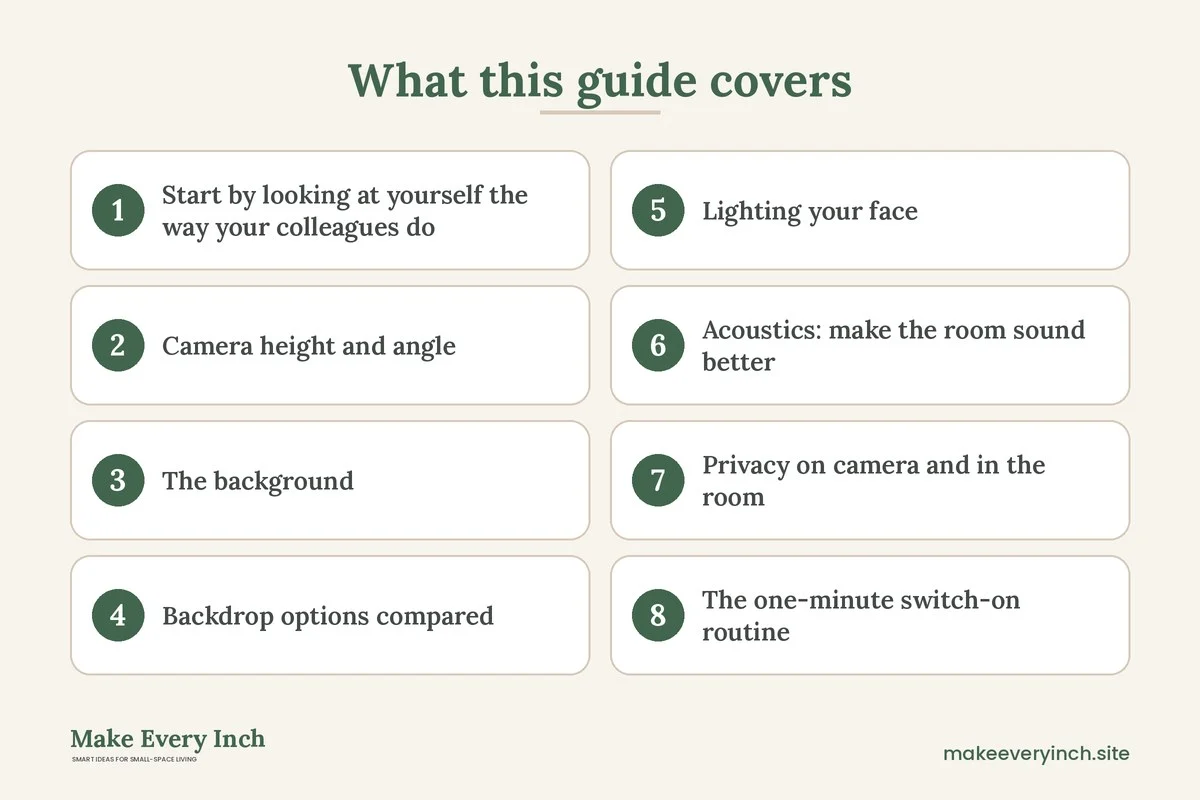
Small home office ideas for video calls are different from ordinary desk ideas, because a call turns your room into a set. People see a few square feet behind your head, they hear every echo, and they notice a window glaring behind you. In a small space, that frame is often a bed, a laundry rack or a stack of boxes. The good news is that a call needs far less room than a full office. You need one clean slice of wall, a face that is lit, a camera at a sensible height and a way to keep the sound under control. This guide walks through each of those, gives measurements you can tape out, compares backdrop options, shows three example rooms and ends with a checklist. For the bigger picture, start with our pillar guide on small home office ideas. If your household shares the space, the companion post on small home office ideas for shared spaces covers schedules and quiet signals.
Start by looking at yourself the way your colleagues do
Before buying or moving anything, open your camera preview and look at the frame for a full minute. Most people have never studied it. Check what sits behind your head, what is cut off at the edges and where the brightest spot is. Then take a screenshot and look at it as a stranger would. You will usually notice three things at once: a cluttered corner, a lamp or window that makes your face dark, and a camera angle that points up your chin.
Next, listen. Record thirty seconds of yourself talking, and play it back with headphones on. Echo, a humming fan or a refrigerator in the next room show up fast. A bare small room with hard walls and a hard floor is one of the loudest places for a microphone, because sound bounces back from every side in a few thousandths of a second.
Write down what you found in three columns: what the camera sees, what the light does and what the microphone hears. These three lists become your plan, and the sections below follow the same order.
Camera height and angle
The simplest single improvement is raising the camera to eye level. A laptop sitting on a desk usually looks up at you, which exaggerates the chin and shows the ceiling. Aim for the lens to sit at roughly the height of your eyes when you sit upright, or just slightly above, so you look straight into it or a touch downward.
- Lens height: for most adults seated at a desk, the eye line is roughly 40 to 48 inches from the floor, though this varies with chair height and body size. Measure your own and mark it.
- Distance from the camera: about an arm’s length, or 20 to 30 inches, keeps your head and shoulders in frame without distortion.
- Framing: leave a little space above your head, about one hand’s width, and let your shoulders fill the lower frame.
- Tilt: keep the camera straight or tilted only a few degrees. A steep tilt makes the background look as if it is falling.
Ways to raise the camera in a tiny office
- A laptop riser or a stack of sturdy books. Raise the laptop so the lens reaches eye level, and use an external keyboard so your hands stay at a comfortable height. Make sure the stack is stable and does not cover the vents.
- A monitor with the camera on top. If you use an external screen, place the camera on its top edge. Check that the monitor stand is stable and that cables are not under tension.
- A small clamp or a flexible arm. A desk-edge mount holds a camera above the work surface and frees the desk. Check the thickness of the desk edge and the weight rating before you buy anything, and never clamp onto a thin shelf that cannot carry the load.
- A wall-side shelf at the right height. A narrow shelf, anchored properly or freestanding, can carry a monitor. Do not drill into a rental wall without permission. See our guide to renter-friendly shelving ideas without drilling for options.
Ergonomics matter too, though this is general information and not medical advice. Raising the screen to eye level, keeping your forearms supported and avoiding long periods in one position are common recommendations. If you have pain, talk to a qualified professional about your setup.
The background: what sits behind your head
A small room rarely has a nice, empty wall in the right place. The trick is to pick the slice of room that is easiest to make look tidy, then arrange your desk so the camera faces it.
Choose the wall before the desk
Walk around the room with your phone camera open and look through it from where your head would be. Try each wall. The best background has these features:
- A flat surface, preferably in a calm, mid-tone color.
- Few objects, or objects arranged on a single shelf.
- No door that people walk through during a call.
- No window directly behind you, since the light turns you into a silhouette.
- Enough distance from the camera, around 2 to 3 feet, so the background blurs slightly and looks less busy.
If every wall has a flaw, the answer is usually to fix the least bad one with a screen, a curtain or a shelf rather than rebuilding the room.
Keep the shelf simple
If you use a bookshelf as a backdrop, edit it. Group books by color or by height, turn spines inward if the titles are busy, and leave empty space on every shelf. One plant, one lamp and one framed print are enough. Remove anything personal that you would not want a colleague to read, such as mail, medicine, children’s drawings with names or a calendar with private appointments.
Anchor tall furniture
A tall shelf behind your chair is a safety issue as well as a style choice. Anchor it to the wall with the straps or brackets recommended for that furniture, and ask your landlord before you drill. If you cannot anchor it, choose a lower unit or a freestanding open frame that is stable. Place heavy items low. Never lean a heavy mirror or a stack of boxes on a shelf that sits behind you.
Backdrop options compared
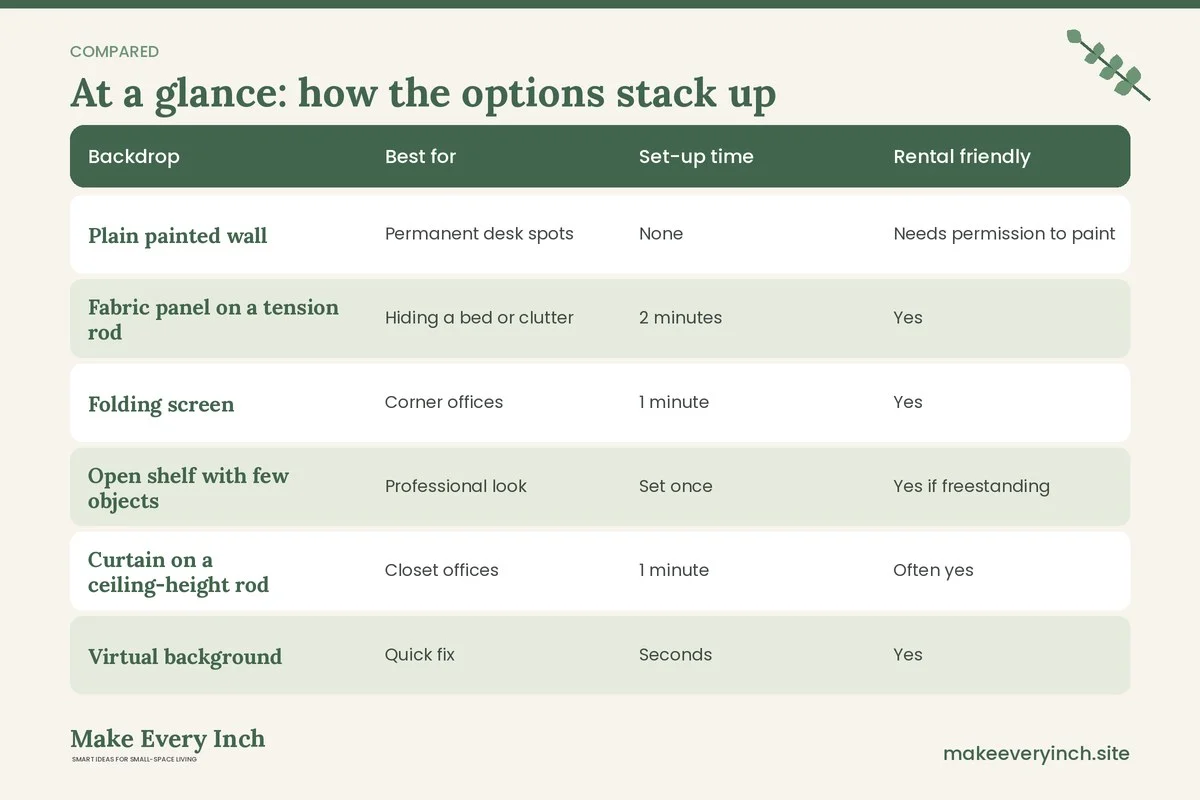
Sometimes the wall cannot be fixed with objects, and you need a physical backdrop. The table compares common choices for a small room and a rental.
| Backdrop | Best for | Set-up time | Rental friendly | Main drawback |
|---|---|---|---|---|
| Plain painted wall | Permanent desk spots | None | Needs permission to paint | Can look flat |
| Fabric panel on a tension rod | Hiding a bed or clutter | 2 minutes | Yes | Wrinkles show on camera |
| Folding screen | Corner offices | 1 minute | Yes | Takes floor space |
| Open shelf with few objects | Professional look | Set once | Yes if freestanding | Needs editing weekly |
| Curtain on a ceiling-height rod | Closet offices | 1 minute | Often yes | Rod must be secure |
| Virtual background | Quick fix | Seconds | Yes | Edges can glitch around hair |
| Blurred background | Mild clutter | Seconds | Yes | Blur can fail with fast movement |
Fabric is a favorite in small rooms, because it also helps with sound. A heavy cotton or linen panel in a solid color hides what is behind it and softens echo. Choose a color slightly darker than your skin tone and clothing so you stand out, and avoid busy patterns that vibrate on camera. If you plan a divider for a studio, see our guides to renter-friendly ways to divide a studio apartment and DIY room divider ideas for studio apartments.
Lighting your face
Lighting does more for how you look on a call than any camera. The aim is soft light on the front of your face, with no stronger source behind you.
The window rule
Face the window, or sit with it to one side. A window behind you makes the camera lower your exposure to cope with the glare, and your face turns dark. If the only workable desk position has a window behind you, hang a sheer curtain or a light-filtering shade to even the light, or turn the desk through ninety degrees. Our guide to renter-friendly window treatment ideas shows options that do not need drilling.
Three light sources
- Main light, in front or at a 45 degree angle. A desk lamp with a diffused shade, placed beside the screen, lights one side of the face softly. Keep it at or slightly above eye level.
- Fill light. A second softer light, or a white sheet of card on the other side of the desk, reduces harsh shadows.
- Background light. A low lamp or small plug-in light behind you adds depth and keeps the wall from turning gray.
Color and glare
Warm bulbs around 2700 kelvin look cozy, but they can turn skin orange on a camera. For calls, a neutral white of about 3500 to 4500 kelvin is a safer starting point, with daylight-balanced lights at the upper end. Try a few and compare screenshots. Avoid glossy surfaces behind the screen that reflect lights into the lens, and be careful with glasses, which can reflect a monitor. Tilting the screen slightly can help.
Lighting safety
- Do not plug several lamps and chargers into one overloaded extension. Check the rating on the power strip and the total wattage of what you connect.
- Keep bulbs away from fabric, paper and curtains, since heat from some bulbs can be an ignition risk.
- Use bulbs that fit the lamp’s rated wattage.
- Keep cords out of walkways. For tidy routes, see renter-friendly ways to hide cords.
For more ideas that work in rentals, browse renter-friendly lighting ideas.
Acoustics: make the room sound better
In a small room, a microphone picks up reflections from nearby walls. The result is a boxy, echoing voice that tires listeners. You do not need a studio, but you do need to break up hard parallel surfaces.
Soften what is within reach
- A rug under the chair and desk. A thick rug cuts floor reflections. Add a non-slip pad, and tape down the edges if it curls, since a trip hazard is worse than echo.
- Curtains. Heavy curtains on the window absorb sound. They also help with glare and privacy.
- A fabric wall panel or a quilt. Hung on the wall behind the screen, which is the wall your voice bounces from, a thick textile reduces echo. Use removable hooks, and check weight limits.
- A bookshelf with books. A full bookshelf scatters sound well. It is one of the most effective furnishings for acoustics.
- Upholstery. A small padded chair, a bed throw or an upholstered ottoman helps in a way that bare wood does not.
Cut the noise at the source
- Turn off a nearby fan or move it out of the microphone’s line.
- Place the computer so that its fan vents are not facing the microphone.
- Close a door or hang a thick curtain over a doorway if the next room is noisy.
- Mute when you are not speaking.
- Use a headset with a microphone close to your mouth, which lets you speak softly and still be clear.
Test with a short recording
After each change, record ten seconds, play it back and compare. Do this before spending money. You might find that a rug and a curtain are enough.
Privacy on camera and in the room
Video calls reveal more than you plan to share. A few small habits protect you and the people you live with.
- Check the frame for personal items. Mail, medicine, documents, photographs of children and calendars can be read from a video feed.
- Close doors that open behind you. A door that opens mid-call is a common interruption. Hang a sign or use a latch if needed, and keep fire exits clear.
- Check reflections. Windows, mirrors and glossy frames can show what is behind the camera, such as a whiteboard or a screen with private information.
- Cover or switch off the camera between calls. A sliding camera cover is a simple, low-tech way to be sure the camera is not active.
- Use headphones for confidential calls. In a small home, other people can hear both sides of the call unless you use headphones.
- Review the sharing settings. Check the app’s screen-sharing options before a meeting so that you share a single window and not the full desktop.
- Respect others in the home. Tell housemates or family when you are on a call, and use a visible signal. See our shared spaces guide for ideas on quiet signals and schedules.
The one-minute switch-on routine
A call setup is only useful if it is quick. A good routine takes under a minute. Make a list and keep it on the wall.
- Lift the camera to eye level.
- Switch on the front light.
- Pull the backdrop curtain or open the screen.
- Close the door.
- Silence your phone.
- Check the frame and the sound with a quick preview.
When the call ends, reverse it. The room goes back to being a bedroom, a living room or a hallway. This matters in a small home, where the office is also where you relax.
Where to put the desk for calls
Small homes limit your choices, so rank the options by how well they handle the four call problems: background, light, noise and privacy.
In front of a window
The window is in front of you, behind the screen. This gives the best light on your face. The downside is that your background is the room behind the camera, which is often a bed or the living room. Use this position if the room behind the camera is tidy. Keep glare off the screen with a sheer curtain.
Beside a window
A desk with the window to the side gives soft, directional light and a neutral wall behind you. It works well in a small bedroom. See small bedroom ideas with a desk for layouts.
In a closet or alcove
A closet office offers a built-in backdrop, since the walls close in around you, and the textiles in the closet help with sound. Make sure there is enough ventilation, because electronics and a closed space can get warm. Keep the door open or add vents, and do not stack paper near equipment. For other tight-spot ideas, read our guides on DIY desk ideas for small spaces and how to fit a desk into a studio apartment.
In the living area
A desk against a wall of the living room is flexible, but it is the most exposed. A folding screen or a curtain on a ceiling track can turn it into a nook. Use this layout from studio apartment ideas for working from home.
At a wall with a drop-down desk
A wall-mounted drop-down desk disappears when closed. It needs secure fixings into studs, so it is only suitable if you have permission. A freestanding fold-away desk is a safer rental choice. Pair it with a small tripod or a stand for the camera.
Three example rooms
Example 1: a bedroom corner of about 8 by 10 feet
The bed fills one side of the room, and the desk sits in the corner. The camera on the desk looks toward the bed, which is a poor background. Turn the desk 90 degrees so that you face the side wall, and hang a fabric panel on a tension rod behind the chair as a divider. Place a lamp with a diffused shade to the left of the screen at eye level. A rug under the chair adds sound control. Use a laptop riser and a separate keyboard so the lens reaches eye line. The whole set can be put away in under a minute, and the bed is out of view.
Example 2: a hallway nook about 3 feet wide
A narrow desk fits along a hallway wall. People walk behind you, so the problem is movement. Mount the camera facing a solid wall by placing the desk at the end of the hall, with your back to the wall and the camera facing the hallway only if the hallway is clear. A better choice is to turn the desk to face the wall, use a folding screen as your backdrop behind the chair and put a small lamp to the side. A sheet of felt or cork on the wall in front of you reduces echo and lets you pin notes without exposing them to the camera, if the lease allows. Put a sign on the hallway side to tell housemates you are on a call.
Example 3: a studio apartment with a window wall
The only window faces the sofa. Place the desk beside the window, so that the light comes from your left or right. Behind you, hang a simple curtain on a ceiling-height rod, with a bookshelf to one side that has been edited down to a few objects. The bed sits on the other side of the room and never appears in the frame. The curtain also cuts echo. A small plug-in light behind the bookshelf adds depth. Use a headset because the kitchen is in earshot.
Budget-conscious choices and what to buy first
You do not need to buy everything at once, and you can borrow a lot from around the house. Start with the free fixes: move the desk, close the door, raise the laptop with books and face the window. Then add things in the order that improves calls most:
- First: a lamp for your face, if natural light is not available.
- Second: a laptop riser and a separate keyboard so the lens reaches eye level.
- Third: a headset with a microphone, which usually improves sound more than an expensive camera.
- Fourth: a rug, a heavy curtain or a fabric panel for echo and a backdrop.
- Fifth: a folding screen or a ceiling-height curtain rod if you need to hide a bed or a kitchen.
Use second-hand furniture where you can, and test each addition with a screenshot and a short recording before you add the next. Prices vary a lot between places and over time, so compare locally and decide what is worth buying for the number of calls you take each week.
Cable and power planning
A call setup brings cables: power, an external camera, a headset, a lamp and perhaps a monitor. In a small room, they can become tripping hazards and clutter that appear in the frame.
- Count the devices that need power and check that the power strip’s rating is not exceeded. Do not plug one power strip into another.
- Keep cables away from foot traffic, and do not run them under a rug, where heat and wear can go unnoticed.
- Use cable clips or a sleeve to gather cables along the desk edge, and use ties to keep slack off the floor.
- Leave a little slack so that moving the camera does not tug on a plug.
- Keep liquids away from power strips and laptops.
- Switch off at the wall for long absences if the manufacturer recommends it.
For tidy routes that leave walls untouched, see renter-friendly ways to hide cords.
Storage that keeps the set ready
A call setup needs a home for each piece, or it will end up on the bed. A small box or a drawer for the camera, headset and lamp, with a label, keeps everything close to the desk. Hang the backdrop curtain or leave the folding screen against the wall within arm’s reach. Store notebooks and chargers in a tray, and keep a closed box for papers that must not be seen. If the office doubles as a living area, see small space organization ideas and no-drill storage ideas for renters. If you want a purpose-built desk, our guide to the best desks for small apartments lists the features to look for.
Mistakes that make small-room calls worse
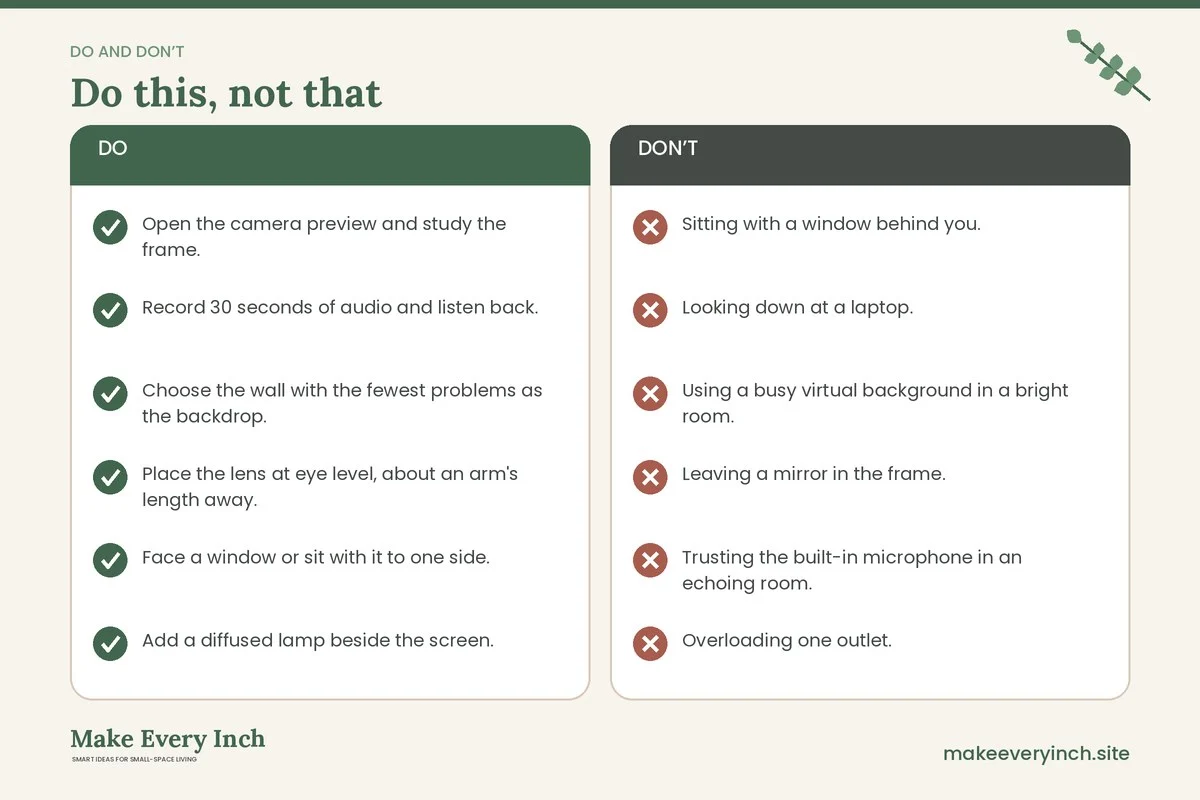
- Sitting with a window behind you. The camera exposes for the bright window, and your face goes dark.
- Looking down at a laptop. The angle is unflattering and the ceiling fills the frame.
- Using a busy virtual background in a bright room. Edges around hair flicker, and it can distract.
- Leaving a mirror in the frame. It shows the room behind you and can reflect private items.
- Trusting the built-in microphone in an echoing room. A headset is a bigger upgrade.
- Overloading one outlet. Several lights and chargers on a single strip can overheat.
- Forgetting to tell the household. An interruption mid-call is more likely than any technical fault.
- Hanging a heavy backdrop on a weak rod. A tension rod holding a heavy curtain can fall during a call, so check its rating.
A weekly refresh
Once a week, spend five minutes keeping the setup ready. Wipe the lens and the screen, since a dusty lens makes the image soft. Edit the shelf behind you, and remove anything that has crept in. Check the cables and the power strip. Test the sound and the picture with a short recording. Wash or shake out the fabric backdrop. These small habits stop the slow drift back to clutter.
Video call office checklist
- Open the camera preview and study the frame.
- Record 30 seconds of audio and listen back.
- Choose the wall with the fewest problems as the backdrop.
- Place the lens at eye level, about an arm’s length away.
- Face a window or sit with it to one side.
- Add a diffused lamp beside the screen.
- Keep 2 to 3 feet between you and the wall behind you.
- Hide or edit personal items in the frame.
- Add a rug, a curtain or a fabric panel for echo.
- Use a headset with a microphone.
- Anchor tall furniture, and ask permission before drilling.
- Check power strip ratings and keep cords out of walkways.
- Create a one-minute switch-on routine.
- Tell the household when you are on a call.
FAQ
What is the best background for video calls in a small room?
A plain, uncluttered wall in a calm mid-tone color, or a simple edited shelf, is a safe choice. If neither is available, a fabric panel or a folding screen in a solid color hides clutter and helps with echo.
How high should the camera be?
Roughly at eye level, or very slightly above. Raise a laptop on a stable riser or books, and use a separate keyboard so your arms stay comfortable.
How do I light my face without a window?
Use a lamp with a diffused shade in front of you or at an angle of about 45 degrees, at around eye height. A second softer light on the other side reduces shadows. Neutral white bulbs are a good starting point.
How can I reduce echo in a small room?
Add soft items: a rug, heavy curtains, a fabric panel, a full bookshelf and upholstered pieces. A headset with a microphone also cuts the room sound.
Is a virtual background better than a real one?
A virtual background is a quick fix, but edges can glitch and it may look odd with movement. A simple real backdrop is usually more reliable and also helps with sound.
How do I keep my household from interrupting calls?
Tell them your schedule, and use a visible signal such as a sign on the door or a lamp that is switched on during calls. Our post on small home office ideas for shared spaces covers schedules and quiet signals in more depth.
Can I do video calls from a bedroom?
Yes. Face the desk away from the bed, use a fabric panel or a screen to hide it and put the room back to normal after work. See small bedroom desk ideas for layouts.
Do I need to drill to set this up?
No. Tension rods, freestanding screens, desk-edge clamps, adhesive hooks within their weight rating and floor lamps all work in a rental. Always check the lease and ask for permission before you drill.
Keep going: Keep planning with our small home office ideas pillar guide, studio apartment ideas for working from home and small bedroom ideas with a desk.
Save this guide for later
Pin the ideas you like to Pinterest so you can come back to them when you plan your space.